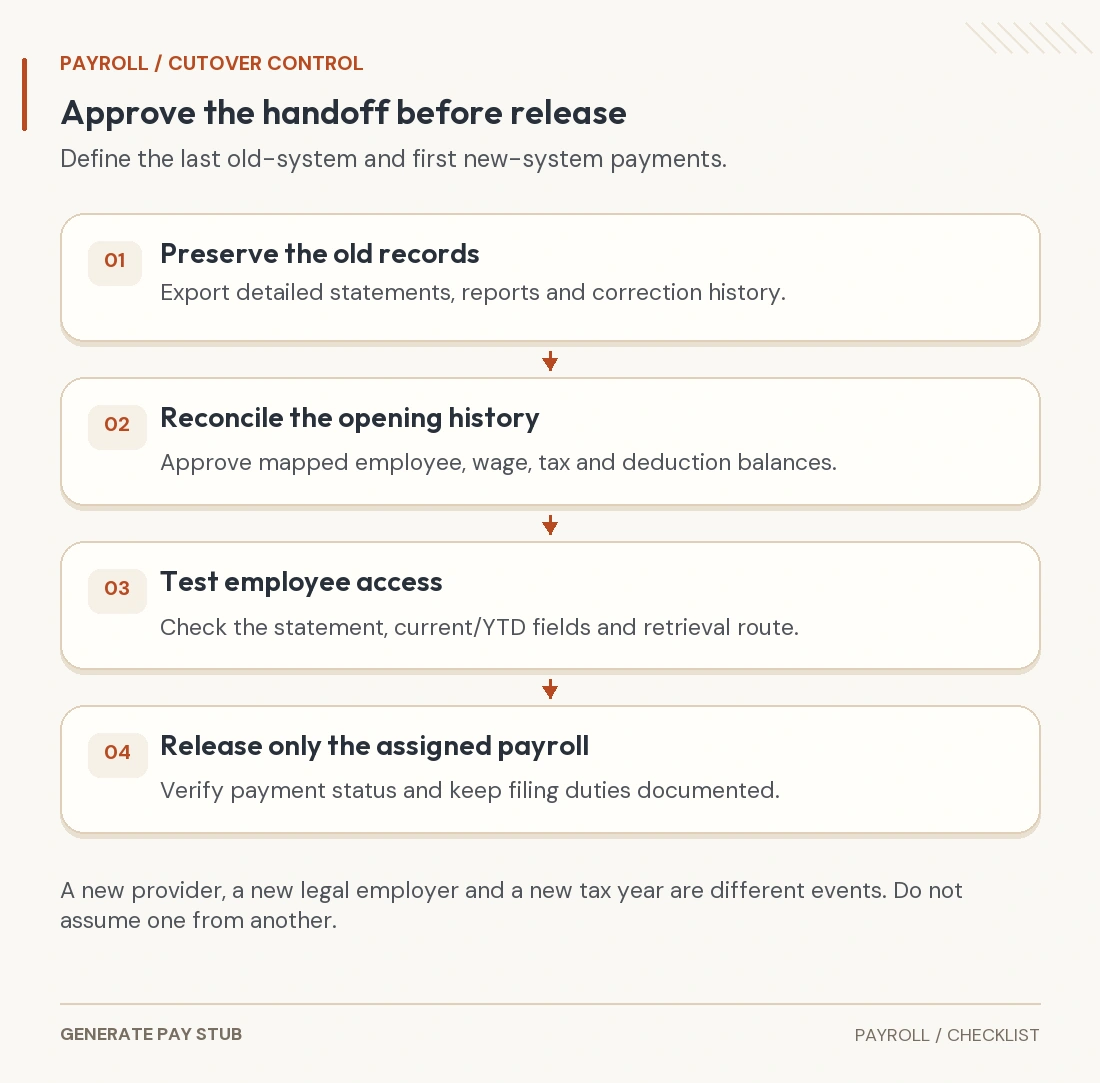
A payroll migration should move supported history and responsibilities without paying old wages again or losing year-to-date balances. Switching providers or introducing electronic pay stubs is more than changing the statement’s appearance. The employer must reconcile the cutover, confirm what the new system actually imports and preserve access to the original records.
This guide addresses a U.S. employer moving payroll during a calendar year. The fictional example assumes the same legal employer and no acquisition, successor or tax-year change. A change of legal entity requires a different review.
What exactly is being moved?
List the last payroll the old provider will process and the first payroll the new provider will process, using payment dates and covered work periods. Identify who handles remaining deposits, quarterly filings, annual W-2 reporting, corrections and employee questions.
Distinguish the payroll register, accounting ledger, tax submissions, bank transfers and employee statement archive. A vendor can support one without transferring all the others. “Migration completed” is not enough unless it identifies which records and services are complete.
The IRS outsourcing guidance warns that using a payroll service does not by itself remove the employer’s federal tax responsibilities. Keep the employer’s own visibility into the tax account and assign the work explicitly.
Which records should be exported before old access ends?
Gather employee-level wage and deduction histories, payment dates, tax bases, tax withholding, employer contributions and any corrections. Include employees paid earlier in the year who have since left. Preserve the detailed statements and reports, not only a screenshot of the final company total.
As a product-specific example, Intuit’s U.S. pay-history instructions distinguish employee YTD information from company totals for paydays in the current quarter. They also warn that importing YTD history does not recreate all historical financial-report detail. Other products need their own current setup instructions.
Save a usable archive and verify a sample file outside the old portal. Confirm how an employee or former employee can request an older statement after the move. Download availability today is not a guarantee of future access after a service ends.
What belongs in the opening-balance reconciliation?
| Control | Compare before approval | Common failure to investigate |
|---|---|---|
| Identity and dates | Employer entity, employee mapping, calendar year and last included pay date. | New employee number mistakenly treated as a new person or new employer. |
| Wage/tax histories | Gross wages and each relevant taxable-wage and withholding balance. | One generic YTD amount used for every tax base. |
| Deductions and benefits | Current elections, employee/employer amounts and cumulative contributions. | An informational employer amount imported as an employee deduction. |
| Payments and liabilities | What has already been paid, deposited, filed or remains payable. | Historical wages or tax payments processed a second time. |
| Archives and access | Detailed statements, reports, corrections and retrieval process. | Assuming a YTD summary recreates every old statement. |
Do not reset a same-employer wage base just because the software changed. For state unemployment, review the actual account and wage-base history; our SUTA calculation guide distinguishes migration from interstate transfer or successor treatment.
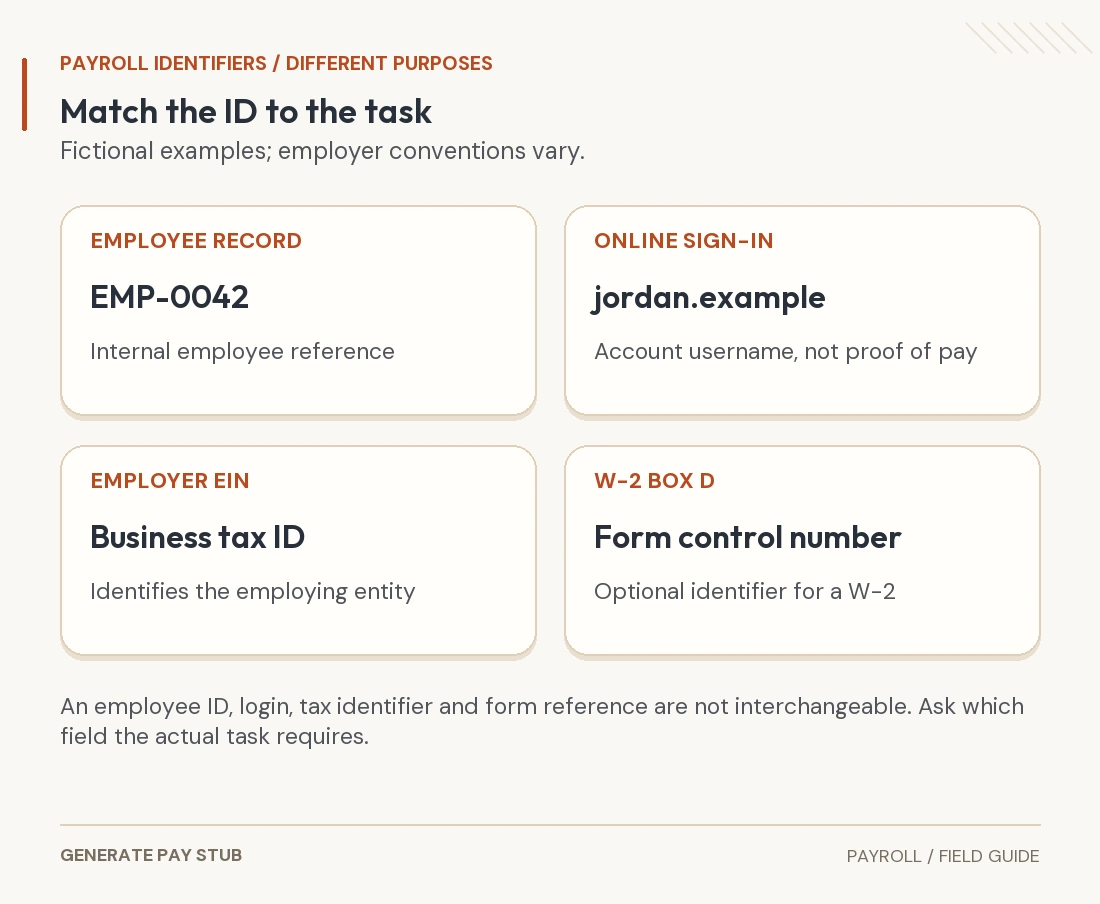
Retain a mapping for changed employee IDs and earning/deduction codes. A label change can preserve the same economic item. Confirm the mapping rather than importing both the old and new labels as independent amounts.
Worked example: historical balances are not another current paycheck
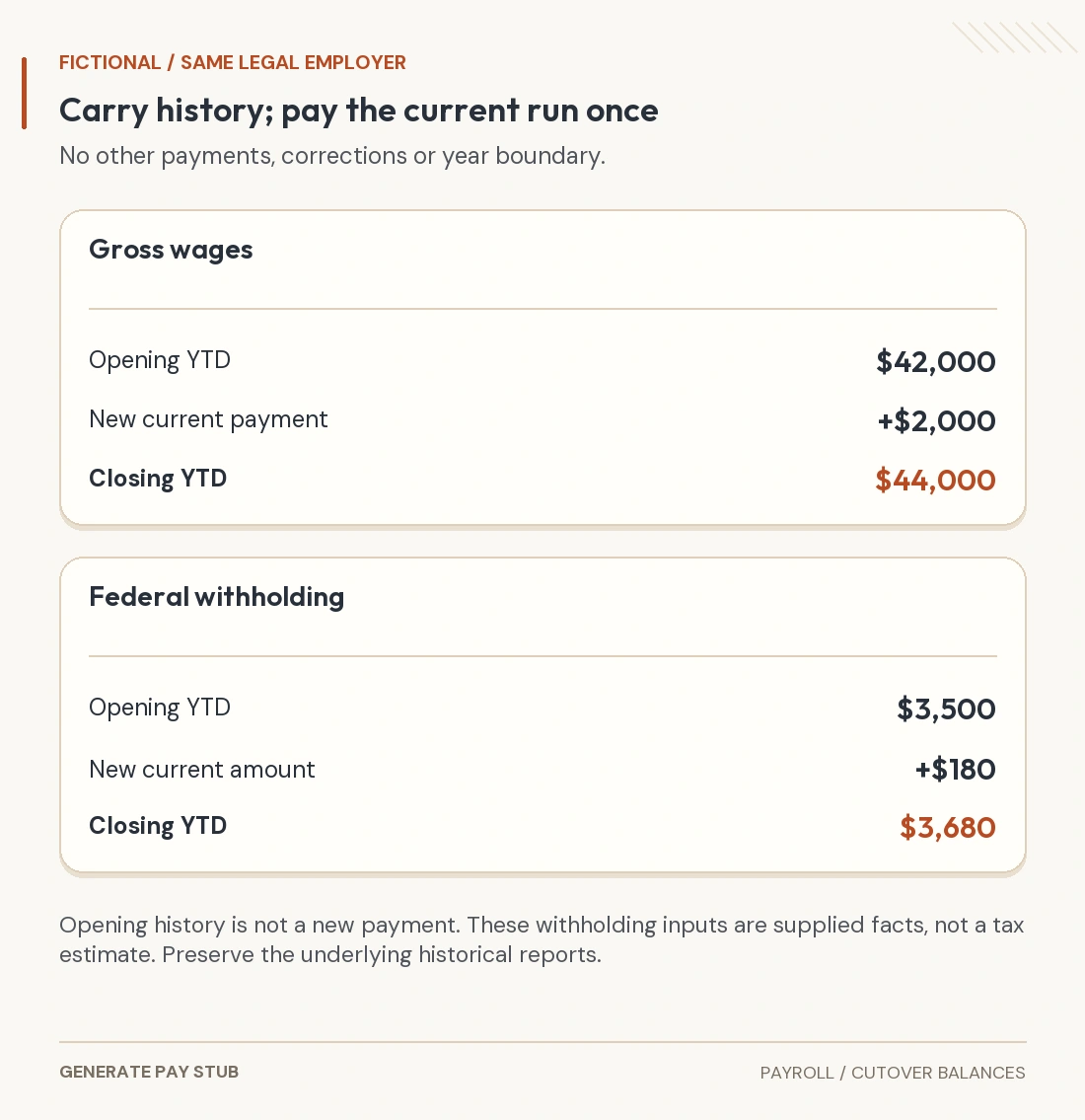
Assume the last old-system payment leaves one employee with $42,000 YTD gross wages and $3,500 YTD federal income-tax withholding. The first new-system payment has $2,000 gross and a supplied $180 of federal withholding. No other payment, correction or year boundary intervenes.

The first new statement should reconcile to $44,000 YTD gross and $3,680 YTD federal withholding under these assumptions. It should not treat the historical $42,000 as another current payment. It should also not load $44,000 as the opening balance and then add the same $2,000 again.
This example has only two control balances. Actual migration may require additional tax bases, deduction/contribution balances, quarterly details and employer liabilities. Use the provider’s correct historical-data process; do not improvise a live payroll to force balances into place.
How do electronic pay stubs fit into the cutover?
Test that employees receive the correct record and can distinguish current payment details from imported history. Confirm applicable state requirements for consent, access, format and copies. Do not assume a single national electronic-statement rule covers the whole workforce.

The FTC security guide supports limiting access, protecting sensitive information and reviewing service-provider safeguards. Use secure transfer and appropriate permissions for the migration packet. Do not ask employees to email account passwords to a migration contact.
A test statement should be clearly treated as a test rather than issued as another employee wage record. Check names, periods, current/YTD fields, amounts and readability on a phone as well as desktop. Preserve an accessible route for people whose employment ended before cutover.
Who completes the quarter and the annual reporting?
Write down the assigned filer and periods covered. Check whether the old or new service will prepare the quarter’s return and the year’s wage reports, how historical payments are included, and who handles an amendment discovered later. Avoid two services reporting the same original wages without coordination.
Compare deposit evidence and filings to the migration control balances. A deduction recorded on a statement is not proof a tax deposit or benefit remittance occurred. The IRS employer tax guide addresses tax responsibilities and records; importing data does not independently complete those duties.
What should be approved before the first live run?
- Confirm that the opening balances exclude the new current payment.
- Match employee mappings and explain all unresolved differences.
- Confirm bank-change verification and the provider’s funding cutoff.
- Review the first current calculation and the resulting YTD amounts.
- Verify statement delivery/access and actual payment status.
- Keep the reconciliation, approvals and assigned follow-up tasks with the archive.
If something differs, resolve the cause before duplicating payroll or overwriting historical records. The employee-ID guide explains one mapping problem that can arise during a system change.
Common payroll-migration questions
Does a provider change create a new tax year?
No. The example keeps the same calendar year and legal employer. Confirm any actual entity change separately.
Can one YTD total replace every historical report?
No. Employee, quarterly, accounting and statement details can require separate records.
Should I run old wages again to create history?
Use the provider’s historical-data process. A live payment can duplicate wages or reporting if used incorrectly.
Does the migration example estimate withholding?
No. It reconciles supplied withholding amounts and does not apply tax rates.