A Social Security tax calculator needs more than the current payment when you are close to the annual wage cap. Select the payment year, enter the wages being tested and supply earlier Social Security-covered wages from the same employer. The calculator can then limit the current deduction to the wage-base room still available.
This guide demonstrates the free tool with a fictional 2026 payment of $5,200 after $182,750 of earlier covered wages. The checked employee deduction is $108.50, rather than 6.2% of the whole payment. We also test a new employer, the following payment and an annual comparison with 2025.
Select the payment year before comparing any numbers
The free Social Security tax calculator currently supports 2025 and 2026. The employee rate is 6.2%, while the annual wage ceiling differs. The Social Security Administration’s historical wage-base table lists $176,100 for 2025 and $184,500 for 2026. Use the row for the wages you are reviewing, even when the agency’s headline has moved on to a later year.
| Payment year | Covered-wage ceiling | 6.2% employee reference maximum |
|---|---|---|
| 2025 | $176,100.00 | $10,918.20 |
| 2026 | $184,500.00 | $11,439.00 |
The maximum column is the wage ceiling multiplied by 6.2%, before any payment-level rounding differences. It is the employee share, not the combined employee-and-employer rate. IRS Topic 751 confirms the employee and employer rates and explains that Medicare has a separate rate without a wage-base ceiling.
Which wage amounts belong in the calculator?
Choose one paycheck when examining an individual payment. Identify the wages subject to Social Security rules before applying the annual cap, and separate them from amounts excluded under the applicable payroll rules. A gross-pay amount is suitable only when all of that pay belongs in this wage base.
Then enter the earlier year-to-date covered wages from the same employer, excluding the current payment. Use a statement immediately before the payment under review, or subtract the current taxable portion from a later YTD figure when the records support that calculation. Do not subtract the tax dollars themselves from a wage total.
- Current payment: a wage amount, not the Social Security deduction.
- Prior YTD covered wages: earlier wages for this employee and employer in the selected calendar year.
- Annual mode: the full-year covered-wage input, rather than a single payment and prior-wage pair.
A payroll statement may already limit its Social Security wage field to the taxable portion. If it does, that field can be smaller than gross pay near the cap. Keep a capped taxable-wage total separate from the full compensation ledger. Our wage-base comparison explains why gross, federal taxable and Social Security wage figures can differ.
A payment that crosses the 2026 Social Security cap
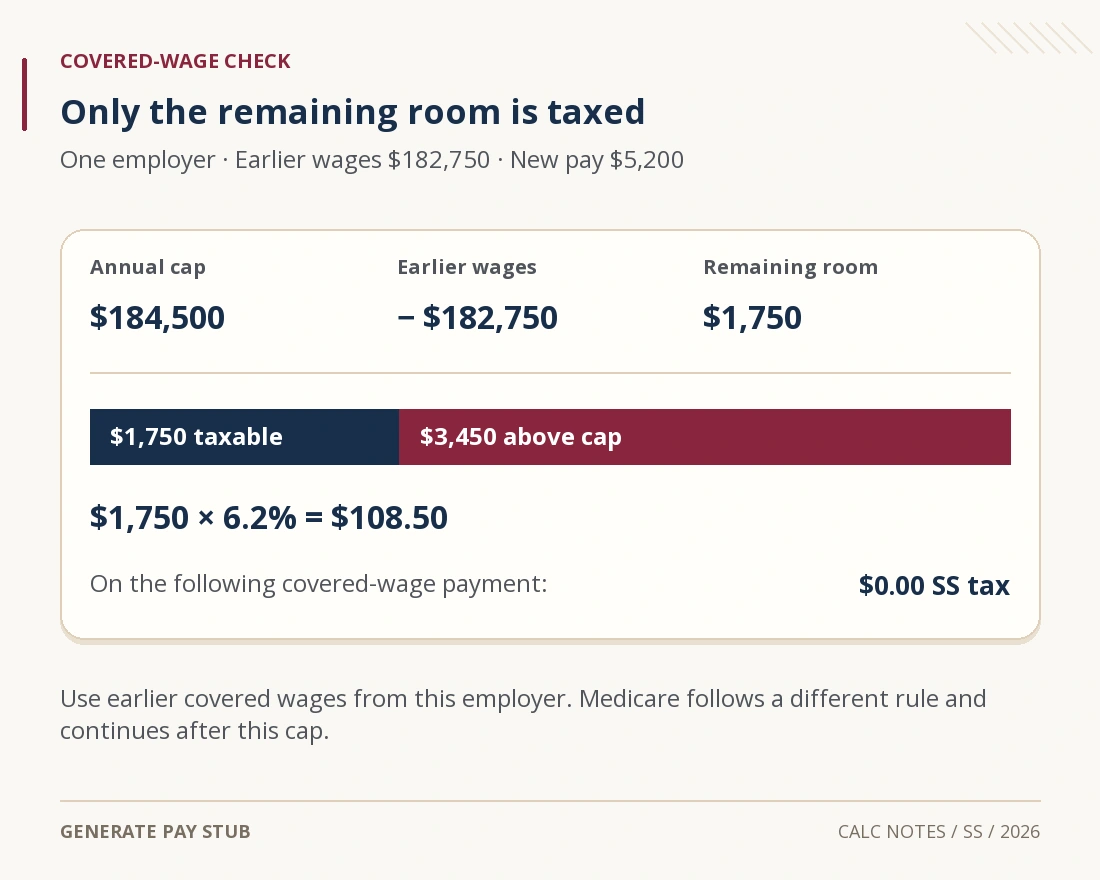
Assume one ordinary US employee, one employer, 2026 wages and no excluded compensation in the current payment. Earlier covered wages are $182,750; the new payment is $5,200. In one-paycheck mode, enter those amounts in their respective current and prior fields.
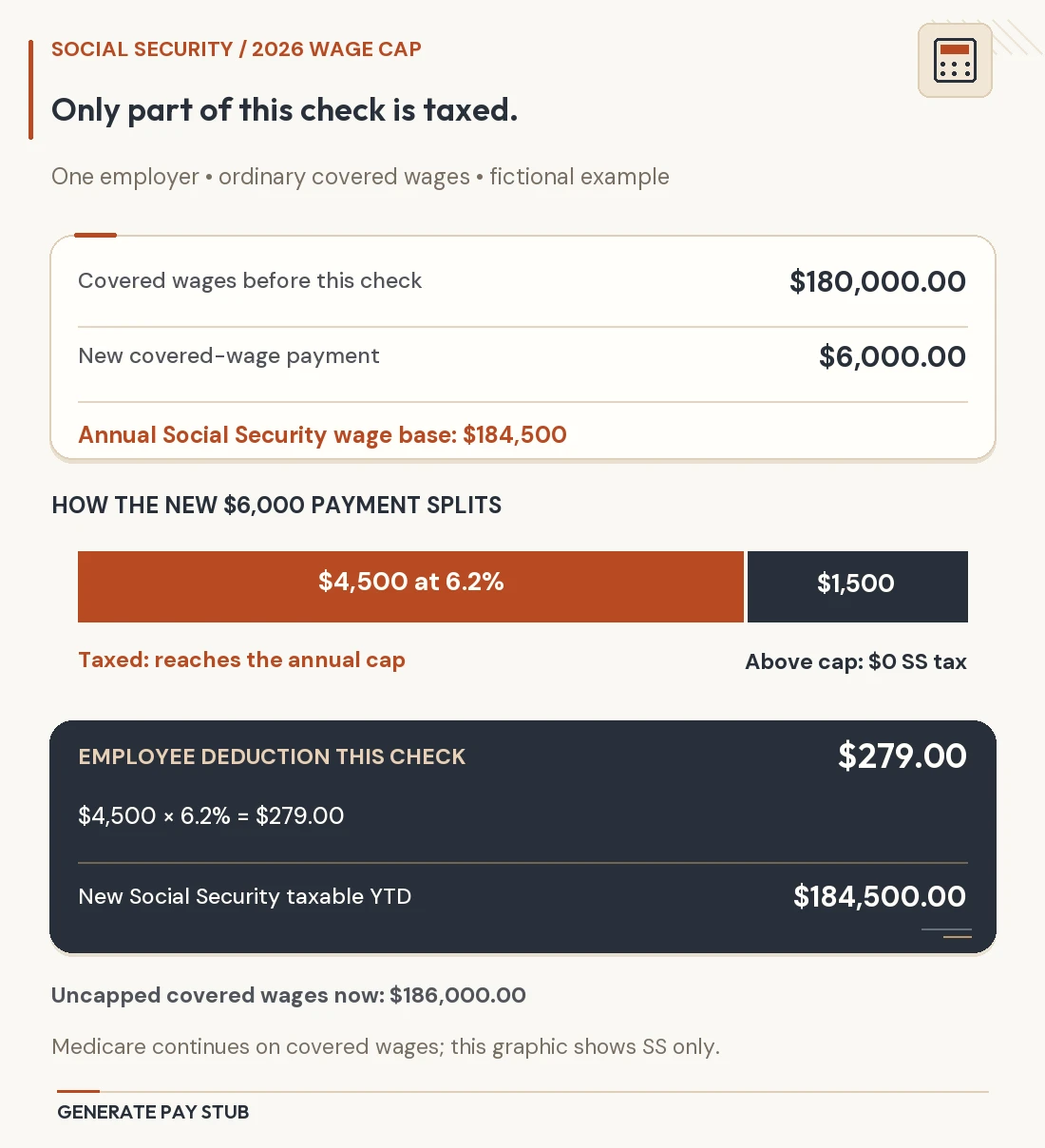
The remaining space is $184,500 − $182,750 = $1,750. Only that much of the new payment remains subject to Social Security tax. The other $3,450 is above this employer’s annual wage-base ceiling, so the current deduction is $1,750 × 6.2% = $108.50.

A full-payment shortcut would produce $5,200 × 6.2% = $322.40, overstating this deduction by $213.90. The calculator’s $108.50 result avoids that error because the prior-wage entry leaves only $1,750 of room.
Afterward, the employer’s taxable Social Security wage total has reached $184,500. A later otherwise covered payment in the same year has no remaining room and produces $0 in employee Social Security tax under these assumptions. The live tool was checked for that outcome as well. Other deductions may continue, so the change in net pay need not equal the Social Security difference alone.
For your own hand check, use: 6.2% × the smaller of current otherwise covered wages and the nonnegative remaining wage-base amount. This describes the ordinary cap calculation, not an eligibility test for special employment categories.
What changes when the employer changes?
Now suppose the $182,750 was paid by an unrelated former employer and this $5,200 is the first payment from a new employer. For the new employer’s ordinary calculation, earlier same-employer wages are zero. The checked deduction is therefore $5,200 × 6.2% = $322.40. Carrying the former employer’s wages into that field would incorrectly produce the earlier $108.50 result.
In general, another employer having already withheld Social Security does not eliminate the new employer’s obligation. 2026 IRS Publication 15 explains the ordinary separate-employer rule and exceptions such as qualifying successor-employer arrangements. A business acquisition or specialized payer arrangement needs payroll review; do not classify it from a calculator label.
If independent employers together withhold above the employee’s annual maximum, the return may provide an excess-withholding credit. If one employer itself overcollects, the correction route differs. IRS Topic 608 describes those two situations and says spouses calculate excess separately on a joint return. The calculator estimates a deduction; it does not file a credit or refund claim.
Annual mode answers a different question
Use annual mode to estimate the employee Social Security reference amount on a full year of otherwise covered wages. Entering $210,000 for 2026 gives $11,439 because the amount subject to tax stops at $184,500. The same annual input for 2025 gives $10,918.20, using that year’s $176,100 ceiling.
The difference is $520.80. It comes from $8,400 of additional wage-base room × 6.2%, not an increase in the employee percentage. This is a useful year-comparison question, but it does not tell you which actual paycheck will hit the limit.
The dedicated tool’s annual result is a direct annual reference calculation. It is not a reconstruction of every payroll payment’s rounding, timing or coverage history. If you divide an annual maximum by 26, the quotient is an average; actual deductions may be larger early in the year and zero after the ceiling is reached.
How to investigate a mismatch with your statement
Check the year, employer and wage basis before assuming a rate error. Then compare the earlier YTD covered wages with the annual ceiling, identify the current taxable slice and multiply that slice by 6.2%. An already-capped YTD wage total is enough to show that no room remains; it need not include compensation above the ceiling.
If the figures still differ, ask payroll which wage base and prior total it used and whether a correction, noncash item or special coverage rule affected the payment. Our Social Security pay-stub guide covers deduction labels and broader record checks.
For a complete net-pay projection, use the state calculator. For the Medicare line specifically, use the Medicare calculator; applying Social Security’s cap to Medicare would produce a misleading zero.
Social Security calculator questions
Should I include my spouse’s wages in prior YTD wages?
No. The single-payment field concerns this employee’s earlier covered wages with this employer. A joint income tax return does not create one shared Social Security payroll wage cap.
Does changing a W-4 credit change this deduction?
A federal income tax withholding election does not change the ordinary 6.2% Social Security calculation. The relevant inputs here are the covered wage amount, payment year and prior same-employer covered wages.
Can the tool determine whether my job is exempt?
No. Certain employment and worker categories have special coverage rules, including some government or railroad arrangements. Confirm coverage first; a calculated amount does not establish that the ordinary employee formula applies.
Is this a self-employment tax calculator?
No. It estimates the employee Social Security component of covered wages. A self-employed person’s combined tax computation and coordination with employee wages require a separate calculation.
Official limits and six live calculator scenarios checked November 6, 2026. Examples assume the ordinary employee Social Security rules and the employer relationships stated above.