
Gross pay and taxable wages are not always the same number. Gross pay describes earnings before employee deductions. A taxable-wage field identifies the amount considered for a particular tax. Because different taxes can treat the same payroll item differently, a statement may correctly show more than one taxable-wage amount.
When entering or checking a pay stub, read the full field label. “Federal taxable wages,” “Social Security wages,” and “Medicare wages” should not be treated as interchangeable versions of gross pay.
Ask which tax the wage figure belongs to
A label such as “taxable gross” needs context. Ask payroll what it means in that particular system before copying the value into another document. Also check whether you are looking at the current payment or a year-to-date column.
For a useful comparison, keep three things aligned: the employee, the payment, and the tax being discussed. Comparing current federal taxable wages with year-to-date Social Security wages will not tell you whether either number is correct.
A pre-tax contribution can affect one wage base differently
The IRS explains in Topic 424 on 401(k) plans that traditional elective deferrals generally are excluded from current federal income-tax withholding wages but remain subject to Social Security and Medicare taxes.
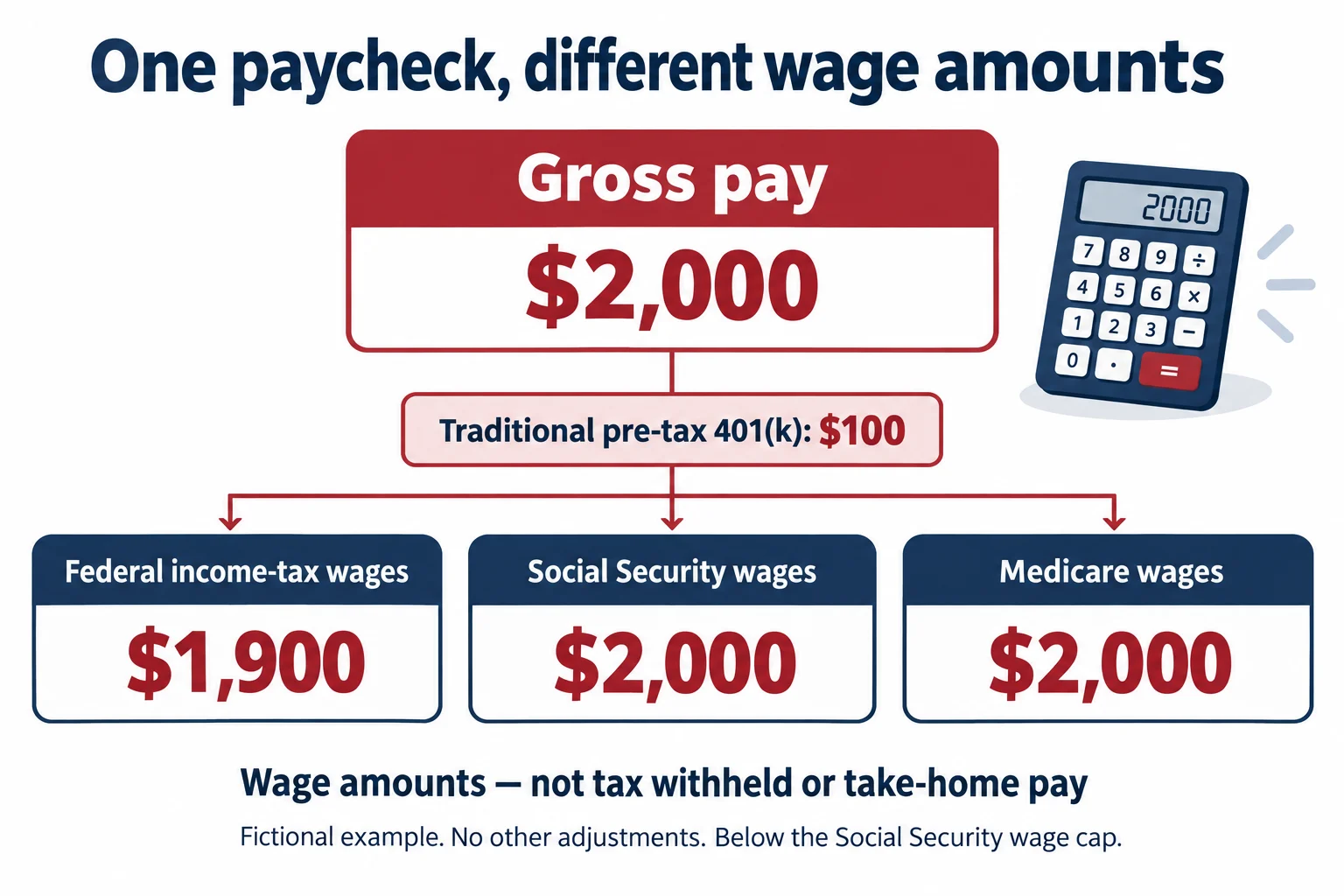
That distinction provides a straightforward illustration. Suppose an employee has $2,000 of gross pay for one payment and contributes $100 as a traditional pre-tax 401(k) elective deferral. Assume the whole payment would otherwise be subject to those taxes, the employee remains below the Social Security wage cap, and there are no other adjustments.
- Gross pay: $2,000.
- Federal income-tax wages: $2,000 − $100 = $1,900.
- Social Security wages: $2,000 in this example.
- Medicare wages: $2,000 in this example.
The employee did not earn three separate amounts. The same earnings are being viewed through different tax rules. These invented figures demonstrate that distinction; they do not establish the correct treatment for a specific employee or benefit plan.
Do not subtract every deduction from every wage base
The word “deduction” describes money taken out of pay, but it does not by itself identify the tax treatment. A payroll deduction can reduce the amount available to the employee without reducing a particular taxable-wage figure.
For example, the IRS’s retirement contribution withholding chart distinguishes employee pre-tax deferrals from designated Roth deferrals. Roth deferrals generally remain subject to federal income tax as well as Social Security and Medicare taxes.
In the simplified example above, changing the $100 contribution to a designated Roth contribution would leave federal income-tax wages at $2,000, assuming everything else stayed the same. The contribution’s name and treatment matter—not just its dollar amount.
Taxable wages are not the amount withheld
A wage base and a withholding amount answer different questions. The wage base is an input to a tax calculation. The tax withheld is an amount deducted through payroll. Net pay is another figure again: the amount remaining after the employee’s applicable deductions.
In our example, $1,900 is not the employee’s federal tax bill and is not necessarily the amount deposited into a bank account. We have not calculated any withholding or other deductions, so the example does not determine net pay.
If two documents disagree by more than a small display difference, first identify which kind of figure each document shows. Investigate possible rounding differences only after confirming that the calculation inputs and wage base match.
Match each field with its payroll source
When preparing a statement, use the finalized payroll detail to identify each figure. A practical review is to write down the exact source label beside the destination field:
- Find the gross earnings amount for the payment.
- Identify each taxable-wage amount separately, if your statement includes it.
- Confirm which deductions or adjustments explain any differences.
- Check that current-payment and cumulative amounts have not been mixed.
- Ask payroll about any label or treatment you cannot reconcile.
Our pay stub preparation checklist helps organize these source records. If the source report does not provide a figure you need, avoid deriving it by subtracting an arbitrary collection of deductions.
Use accurate labels when generating your statement
Review the fields in GeneratePayStub.com’s regular and enhanced formats before entering payroll values. Use each field for the information it requests. A template does not determine a benefit’s tax treatment.
Questions about the treatment of a payroll item should go to the person responsible for payroll or an appropriate tax professional. For a question about a product field, contact GeneratePayStub support. After preparation, use the PDF review checklist to make sure the labels and amounts are readable in the saved document.