Form 1040 brings your individual federal tax return together: income, adjustments, deductions, tax, credits and payments lead to a refund or balance due. Prepare the supporting calculations first, transfer the correct amounts to the return, then review, sign and file the complete required package. A two-page PDF by itself does not necessarily contain every schedule you need or constitute a filed return.
The clearest way to understand the form is to follow the numbers through it while keeping the source records attached to each decision. This guide maps that path and works through a fictional wage-and-interest example.
Reviewed November 5, 2026. The example uses the final 2025 Form 1040 and its instructions, matching the currently available edition in the linked builder. The ordinary April 15, 2026 filing deadline and usual October 15 extended deadline have passed. Different relief can apply; do not assume a new document purchase extends a deadline.
What does Form 1040 do, and who needs to file?
It is the main U.S. individual income-tax return, with other schedules added when applicable. It reports the taxpayer's complete relevant situation rather than only one employer's payroll.
A W-2 reports an employer's annual wages and withholding. Form 1040 can combine that information with interest, business results, investments, retirement income, credits and other tax items. A pay stub is useful supporting payroll history, but it does not replace the complete return.
Filing requirements depend on factors including filing status, age, income type and other conditions. Do not assume “income below the standard deduction” always means no filing obligation. The IRS filing-requirement resource describes the decision and situations where filing may also recover withholding or an eligible credit.
Different individual forms or special rules can apply, including Form 1040-NR for applicable nonresident returns. Resolve residency and filing requirements before using an ordinary resident-return example.
What should you collect before completing the return?
Organize identity, income, deduction, credit and tax-payment records for the same tax year. The IRS document checklist helps identify what to collect.
- Taxpayer, spouse and dependent information, with appropriate taxpayer identifiers.
- All applicable W-2s, 1099s and other income statements, including corrected versions.
- Business, rental, investment or other records needed to establish amounts the statements do not resolve.
- Documents supporting deductions and credits, such as eligible education, dependent-care or health-coverage information.
- Federal withholding, estimated payments, extension payments and any prior-year overpayment applied forward.
- The previous return and any relevant IRS correspondence or identification-protection information.
Compare the year and taxpayer identity before combining documents. A statement you received in 2026 may report 2025 activity. Likewise, a corrected statement can replace an earlier amount rather than add another identical transaction.
Missing information needs follow-up. Request records from the issuer or use the appropriate IRS transcript or substitute-form procedure. Guessing an amount to finish a PDF can create a mismatch that the layout cannot solve.
How do identity, filing status and dependent details affect the return?
These entries determine more than the name at the top of the page. Filing status can affect deductions, tax calculations and credit eligibility; dependent and residency details can affect specific benefits.
Use the status permitted by your actual facts. Head of household, for example, has conditions beyond simply having a child. A joint return also requires both spouses' information and the applicable signing process.
Check names, identifiers, addresses and dependent information carefully. Use an actual IRS-issued IP PIN if required. A fabricated number, an old assumption about a dependent or a missing signature can prevent an otherwise balanced return from being processed correctly.
Answer the digital-asset question using the IRS digital-asset guidance. Merely holding assets and selling or receiving them can produce different answers. A “yes” response may also need reporting on supporting forms; checking the box is not the whole calculation.
How do income and adjustments reach adjusted gross income?
Put each income type in its proper place, then apply eligible adjustments to reach AGI. On the 2025 form, W-2 Box 1 wages feed Line 1a, taxable interest has its own line, and additional income can flow from Schedule 1.
Gross and taxable amounts can differ for retirement distributions or Social Security benefits. Do not copy every gross amount directly into a taxable field. Use the appropriate worksheet, basis, exclusion and distribution information.
Business revenue also does not automatically become W-2 wages. A sole proprietor normally determines the business result on its supporting schedule before carrying the relevant amount into the individual return. See owner transfers and payroll wages for the underlying distinction.
AGI is a return calculation, not the net deposit on a paycheck. Our AGI and pay-stub guide explains why the two figures answer different questions.
How do deductions differ from tax credits?
A deduction reduces the income used in the tax calculation; a credit affects tax or payments under its own rules. Do not subtract a deduction directly from the tax bill or put every credit into a deduction field.
For 2025, the ordinary single standard deduction is $15,750. The amount and availability can differ with filing status, dependency, age, blindness and other circumstances. Itemized deductions require their own review; compare the permitted choices instead of assuming the biggest number can be selected freely.
The 2025 instructions also address qualified-business-income deductions and Schedule 1-A's additional deductions. Qualifying tips, overtime, vehicle-loan interest and senior provisions have specific conditions and limits. They do not turn every related payment into tax-free income.
Nonrefundable and refundable credits operate differently. Complete the required eligibility and limitation calculations before entering the allowed amounts. A dependent checkbox in a document builder is not a substitute for that analysis.
How does a complete fictional 2025 example move through Form 1040?
Follow one simple set of assumptions from income to the final payment comparison. Assume a U.S. resident taxpayer who is single, age 40, not blind and not claimable as a dependent, with no dependents of their own.
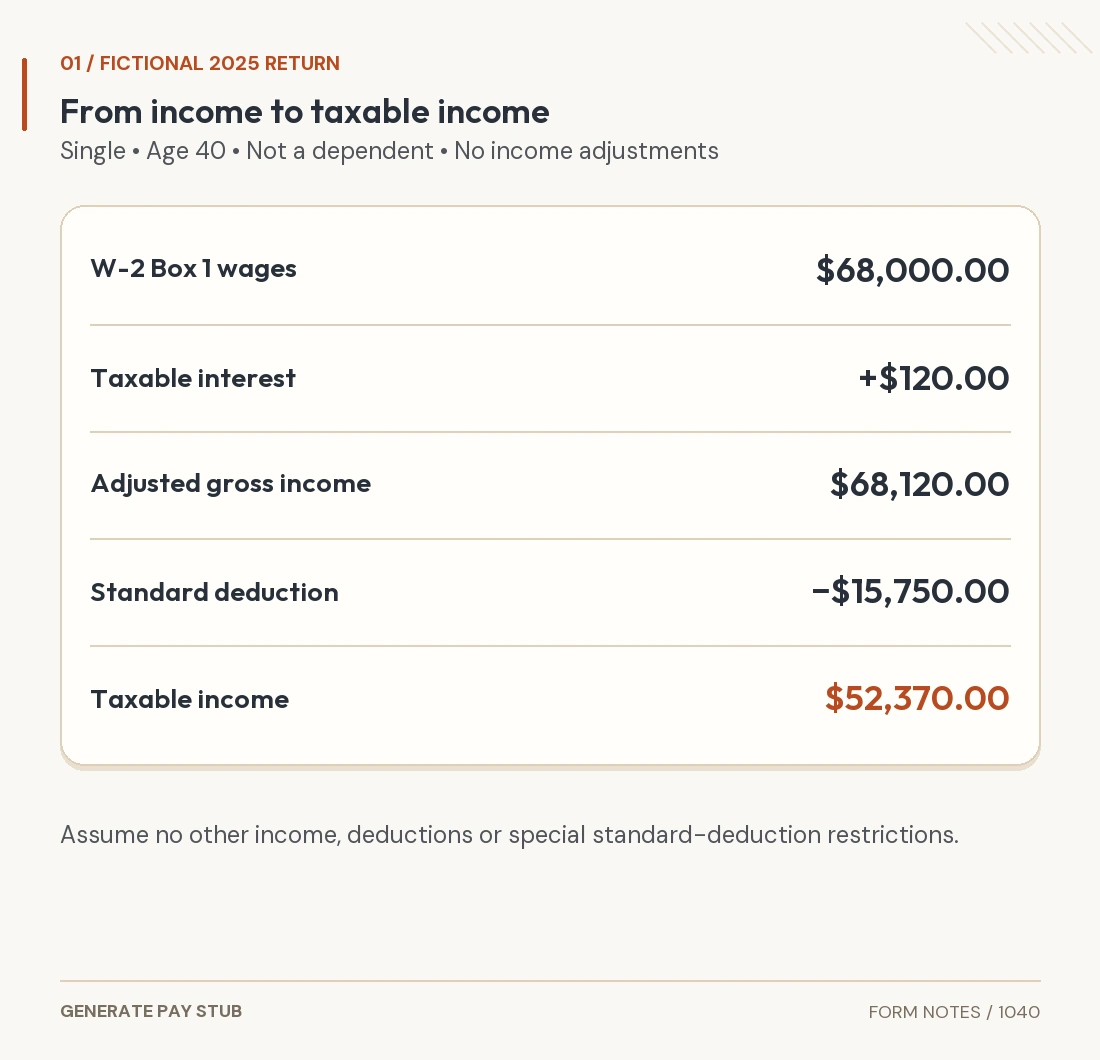
The taxpayer has $68,000 in W-2 Box 1 wages and $120 of taxable interest. Assume no other income, adjustments, itemized deductions, QBI deduction, Schedule 1-A deductions, credits, additional taxes, special tax worksheets or other schedule-triggering conditions. Actual W-2 federal income tax withheld is $7,500, with no other payments.

| Return item | 2025 location or basis | Amount |
|---|---|---|
| W-2 wages | Line 1a; recorded Box 1 wages | $68,000.00 |
| Taxable interest | Line 2b | $120.00 |
| Total income / AGI | Lines 9 and 11a/11b; no adjustments | $68,120.00 |
| Standard deduction | Line 12e; eligible single taxpayer | $15,750.00 |
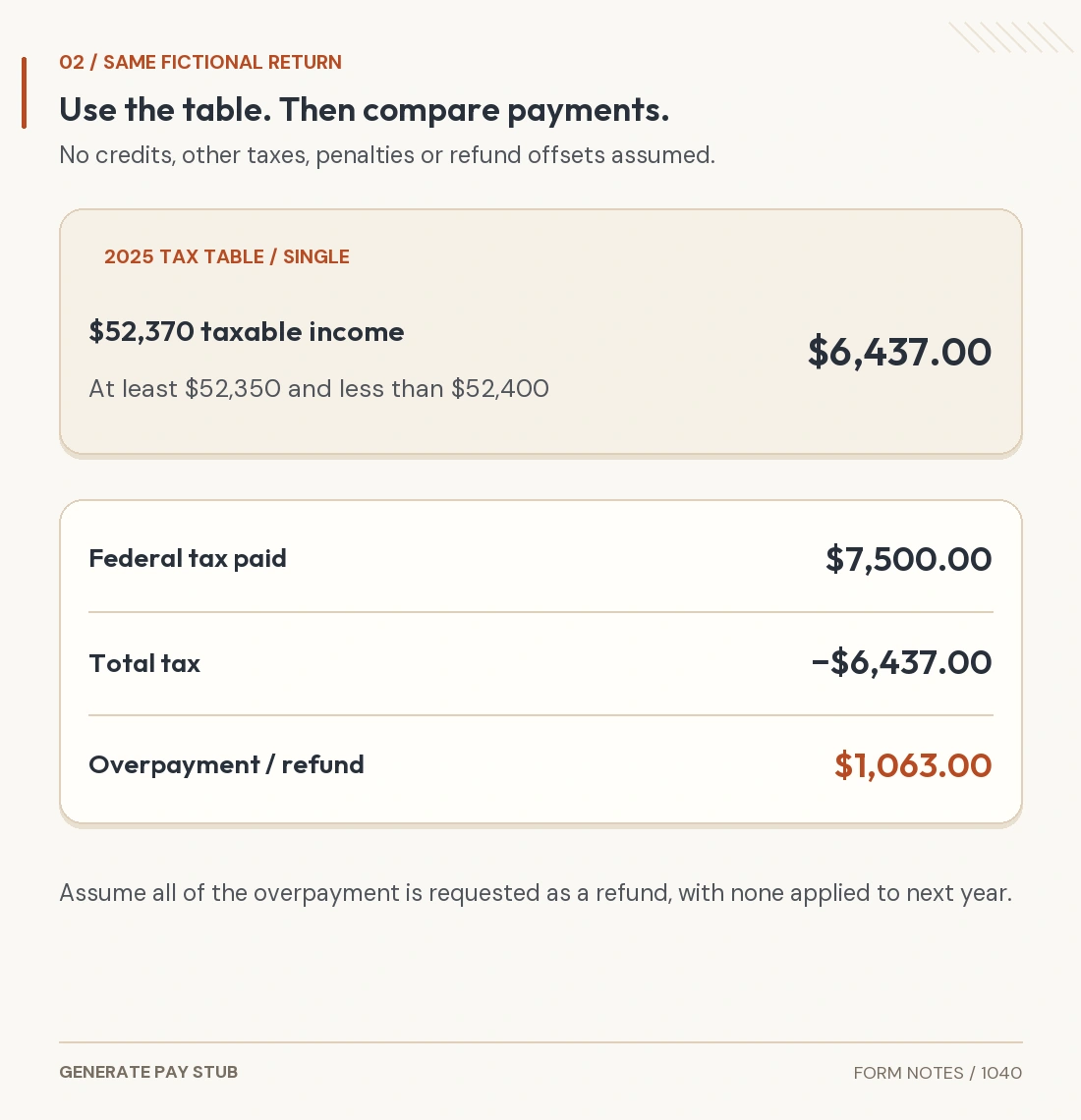
| Taxable income | Line 15 | $52,370.00 |
| Income tax / total tax | Lines 16 and 24; no credits or other taxes | $6,437.00 |
| Federal withholding / total payments | Lines 25a and 33; no other payments | $7,500.00 |
| Overpayment / requested refund | Lines 34 and 35a; nothing applied forward | $1,063.00 |
Income is $68,000 + $120 = $68,120. With no adjustments, AGI is also $68,120. Subtracting $15,750 gives $52,370 taxable income.
For this ordinary case, use the 2025 Tax Table, not a guessed flat rate. On printed page 74 of the instructions, $52,370 falls in the row beginning at $52,350 and ending before $52,400. The Single column gives $6,437. A direct bracket calculation is not a substitute where the instructions require the table.

Under the assumptions, total tax remains $6,437. Payments of $7,500 exceed it by $1,063. Assume the taxpayer requests the entire overpayment as a refund and applies none to the next year.
The example excludes refund offsets and other changes that can affect the amount actually received. It illustrates the return's structure, not a prediction of your own tax or refund.
Which schedules may need to accompany Form 1040?
The supporting forms depend on the facts, not the main return's page count. Common connections include the following.
| Schedule or form | Typical role | Review point |
|---|---|---|
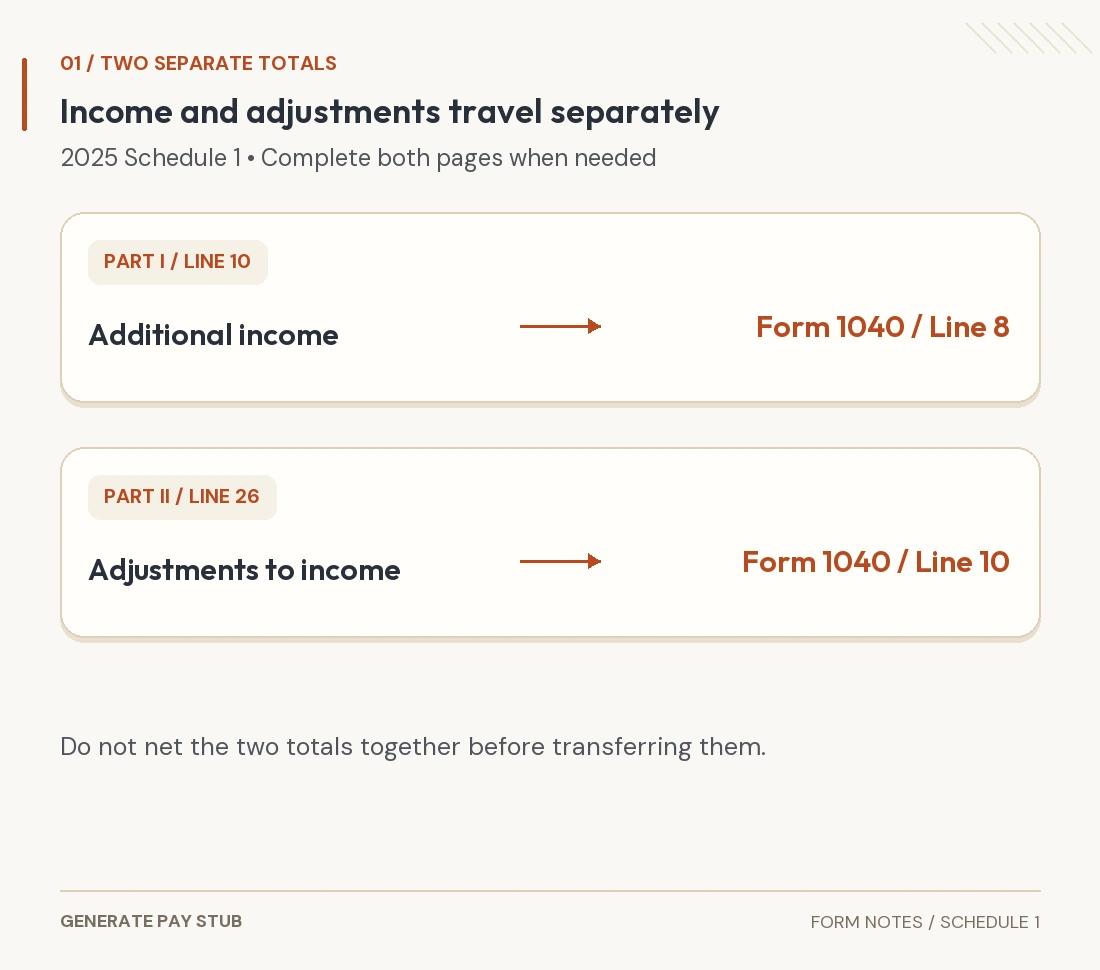
| Schedule 1 | Additional income and eligible income adjustments. | Check the source schedule and the correct part. |
| Schedule 1-A | Specified additional deductions for 2025. | Apply each deduction’s eligibility and income limits. |
| Schedules A and B | Itemized deductions; interest/dividend reporting where required. | A low income-statement total does not resolve every special filing condition. |
| Schedules C, E and F | Business, rental/pass-through or farming results as applicable. | Use the correct activity and accounting records. |
| Schedule D and Form 8949 | Capital transaction reporting where required. | Review basis, proceeds and any applicable exceptions. |
| Schedules 2, 3 and SE | Additional taxes, other credits/payments and self-employment tax. | Keep tax, credits and payments in their proper sections. |
Other documents can be required, including dependent-credit, education-credit, Marketplace or retirement-related forms. Preparing one supporting form does not establish that every triggered schedule is complete.
Use the official instructions or appropriate tax software to determine the required set. Keep worksheets even when they are not attached, since they explain the entered figures.
How do payments create a refund or amount owed?
Compare total payments and refundable credits with total tax. Federal income tax withheld from W-2s and other sources belongs in the appropriate payment fields. Do not include Social Security, Medicare or state withholding in a field asking for federal income tax withheld.
Estimated payments and prior-year credits applied forward need their own records. Avoid counting a payment twice because it appears on both an IRS account record and your bank statement.
If payments exceed tax, review the overpayment and the allocation between a refund and next-year estimated tax. If tax exceeds payments, review the balance due and any applicable estimated-tax penalty calculation. A penalty is not automatically a fixed percentage of the displayed balance.
What should you check before signing the return?
Review decisions, transferred amounts and final arithmetic together. A mathematically balanced return can still use an ineligible credit or the wrong tax year.
- Confirm the tax year, identity, filing status and dependent facts.
- Reconcile every income statement and relevant unreported transaction.
- Check the allowed deductions, credits and supporting worksheets.
- Verify the correct tax method and payment totals.
- Review the refund allocation or payment arrangement and any bank details.
- Assemble every required schedule and statement.
- Complete the applicable taxpayer, spouse and preparer signatures.
For a joint return, both spouses generally sign. Use the proper process for special situations such as an authorized representative or deceased taxpayer. An electronic-filing signature process is not completed merely by drawing a signature onto a downloaded PDF.
How do you complete filing, especially for a late 2025 return?
Choose the applicable filing route and retain evidence of completion. The IRS filing guide describes available approaches, including tax software, professionals and paper forms. Check current year and prior-year availability rather than assuming every online service accepts every edition.
The IRS deadline guidance distinguishes a filing extension from extra time to pay. If a required 2025 return remains unfiled now, review the past-due-return instructions and any applicable notice or relief. Inability to pay in full is not a reason to leave a required return unfiled.
For paper filing, follow the correct address, signature, attachment and mailing instructions. For electronic filing, resolve rejections and retain the accepted result. Keep tax-payment confirmation separately from the return submission.
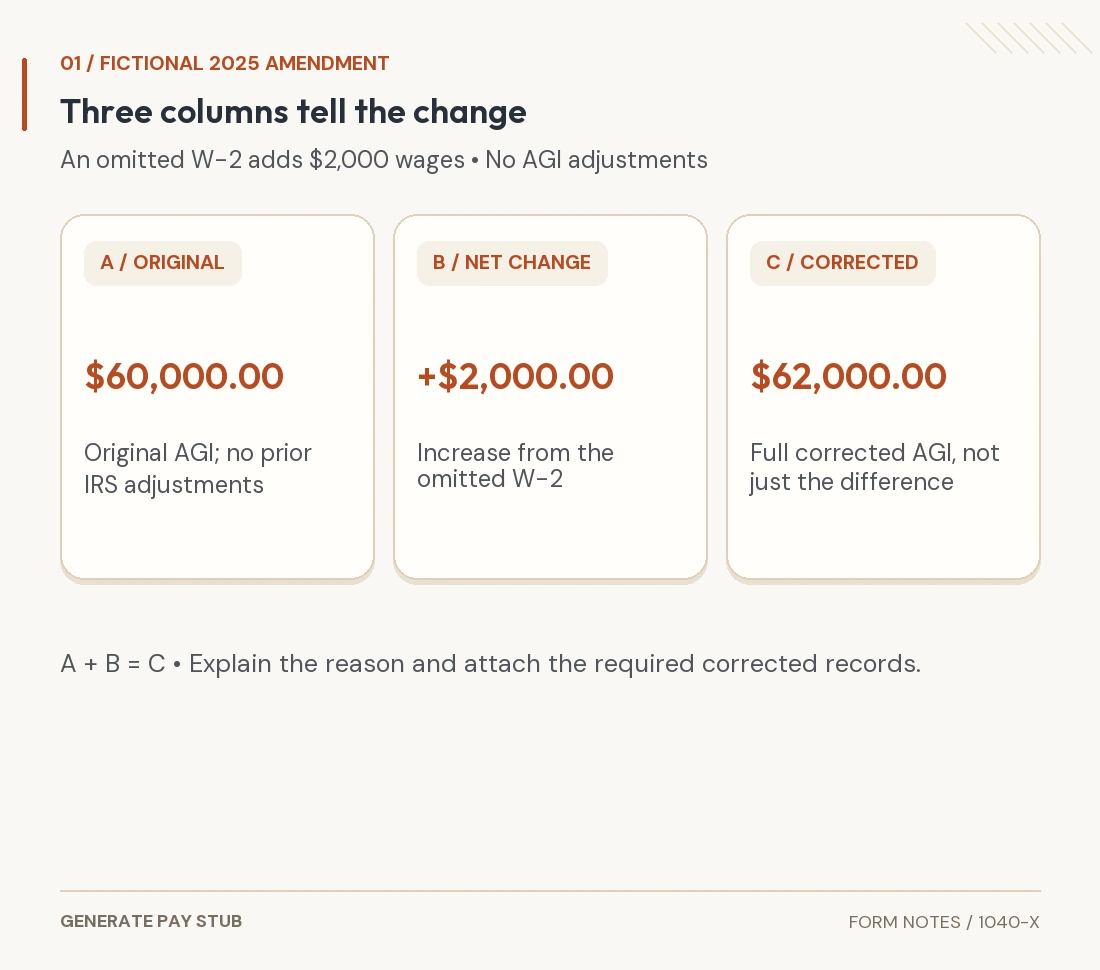
If you already filed and need to change the return, review the applicable amendment process. Do not send another original return simply because a document builder generated a revised PDF.
What does Generate Pay Stub's Form 1040 builder prepare?
It provides a workspace for the original two-page return using your reviewed entries. The 1040 document guide links to the 1040 builder. At review, 2025 is the available final-form edition; its 2026 option is marked unavailable pending the final original.
Enter identity, income and adjustment information, then reviewed deduction, tax, credit and payment amounts. The current builder specifically asks for the properly determined Line 16 tax. Its arithmetic does not replace the complete tax worksheets or determine every eligibility question.
Review both preview pages, signatures and the required supporting set. Schedules and conditional forms are separate, and the tool does not include IRS filing or tax payments. Obtain the official form free from the IRS or use an appropriate filing service when that better matches the task.
General U.S. federal tax information, not individualized advice. The fictional 2025 example excludes other income, credits, deductions and special rules. State returns and unusual tax situations require separate review.