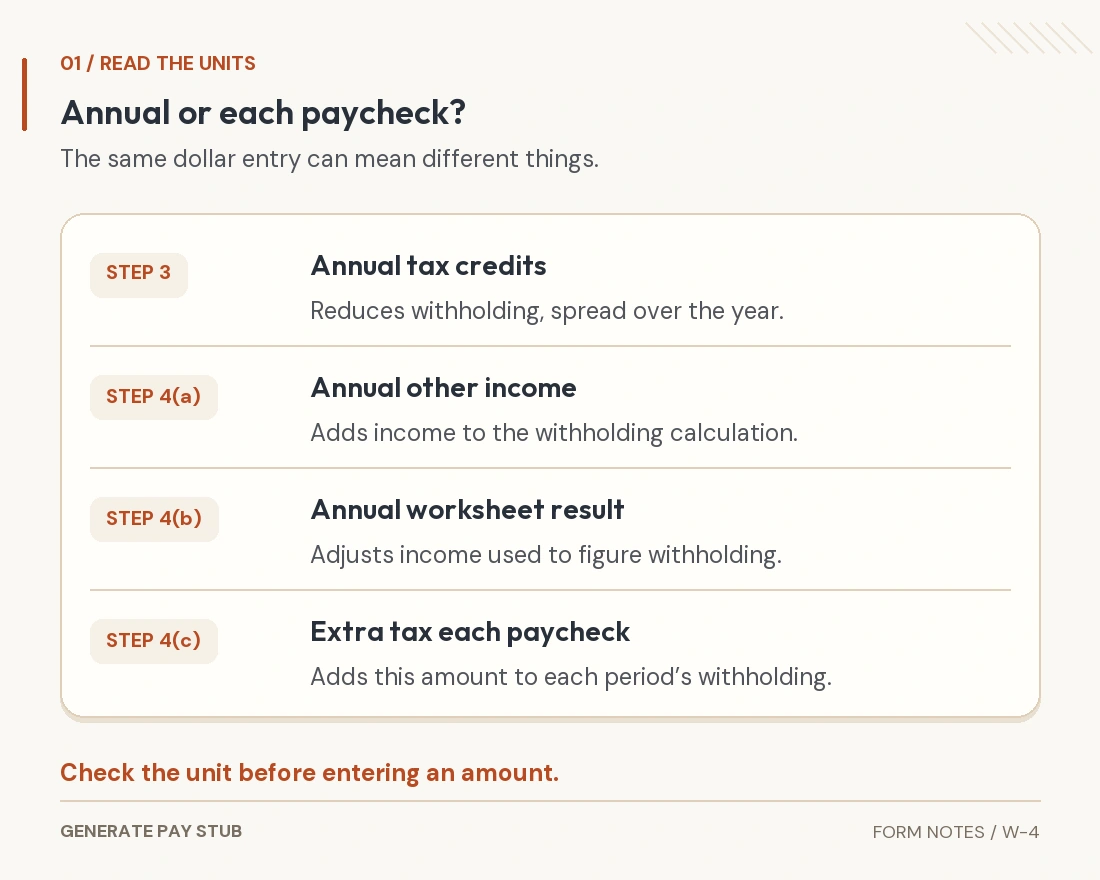
To fill out a 2026 Form W-4, identify yourself and your anticipated filing status, address any applicable job, credit and deduction adjustments, then sign and give the certificate to your employer. Read the units carefully: most dollar adjustments are annual amounts, while Step 4(c) asks for additional tax from each paycheck. A W-4 changes withholding instructions; it does not calculate your final tax bill.
A useful W-4 review starts with your household's actual situation, not a rule such as “always claim zero” or “put every deduction here.” This guide connects the form's choices to the payroll result and shows what to check after you submit it.
Reviewed November 5, 2026. This guide concerns U.S. federal employee withholding for 2026. State certificates, nonresident rules and IRS withholding restrictions can require separate treatment. The numerical example assumes 26 equal pay periods across a full year and is not a personalized estimate.
What does a W-4 change, and what does it leave to other records?
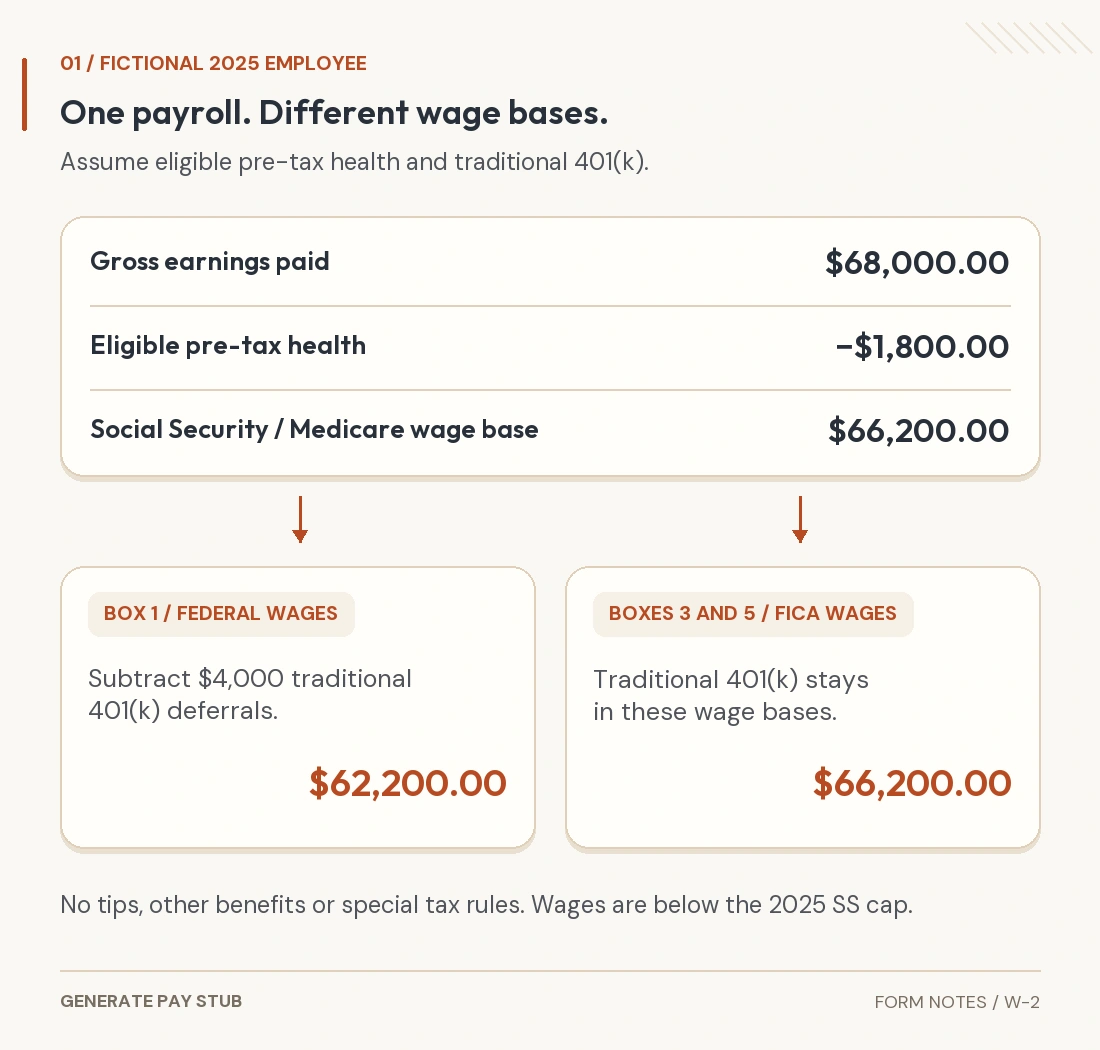
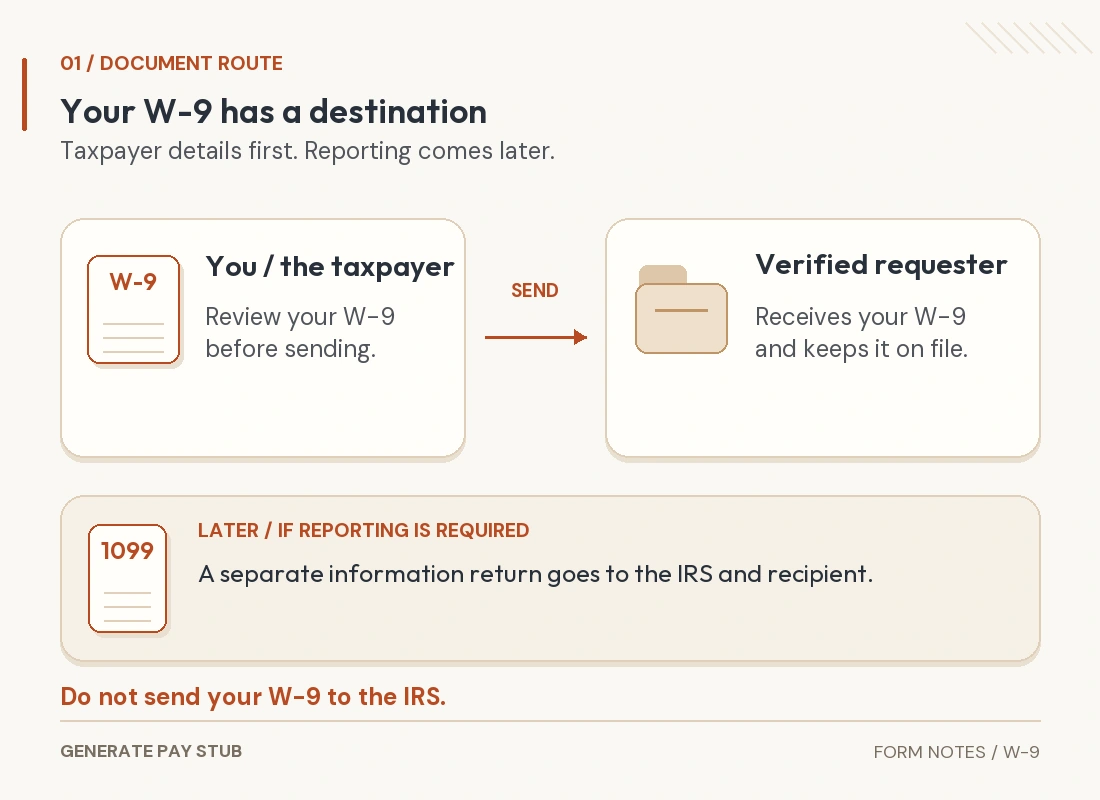
Form W-4 tells your employer how to calculate federal income tax withholding from wages. The IRS's Form W-4 overview identifies it as an employee withholding certificate. It is not the year-end wage statement, Form W-2, or a contractor's taxpayer-identification request, Form W-9.
Think of the certificate as an instruction for future payroll calculations. Your pay stub shows the amounts actually processed for a particular payday; your annual return reconciles tax with payments and credits. Those three records answer different questions.
Withholding is a tax payment made during the year. Too little can leave a balance and potentially a penalty; too much can leave you waiting for a refund. The IRS withholding guidance recommends revisiting the arrangement after relevant life, income and tax-law changes.
Do not use W-4 entries to relabel wages or change past earnings. Also check any separate state requirements with payroll. A change to the federal certificate does not establish that your state withholding instructions have been updated.
What should you have ready before entering anything?
Collect current records that describe the whole situation the certificate needs to address. A previous form can be a reference, but copying it without review can carry an outdated job, dependent or deduction assumption into the new year.
- Identity and filing information: your name, address, SSN and anticipated filing status.
- Recent payroll records: pay frequency, current taxable wages and current-period and year-to-date federal income tax withheld.
- Household work information: other simultaneous jobs and, for a joint return, the working spouse's information.
- Expected annual items: eligible credits, relevant other income and reviewed deductions.
- Earlier tax records: the prior return and other supporting information needed to assess your current-year position.
Keep current-period withholding separate from the YTD total. Do not enter the entire “taxes” section of a pay stub as federal income tax: that total may include other taxes. The IRS estimator FAQs specifically distinguish federal income withholding from Social Security, Medicare and state or local tax.
If the pay stub's labels are unclear, ask payroll which line is federal income tax. Guessing from the largest deduction can make a carefully completed estimator produce a misleading recommendation.
How do you complete Step 1 correctly?
Check identity first, then select the filing status you reasonably expect to use. Compare your name and SSN against your Social Security record, and review your address for accuracy.
The ordinary status choices group Single with Married filing separately, and Married filing jointly with Qualifying surviving spouse; Head of household is a separate choice with eligibility requirements. Do not select a status simply because its payroll result looks more favorable. If eligibility is uncertain, resolve that tax question before completing the election.
For a straightforward situation, Steps 2–4 may not apply. The IRS's modern W-4 design FAQs explain the simpler basic approach and why today's form uses dollar adjustments rather than the old allowance system. Special exemption instructions discussed below differ from ordinary completion.
How should you handle multiple jobs or a working spouse?
Account for simultaneous jobs together instead of letting each payroll assume it is the household's only job. Step 2 offers alternative methods; choose one appropriate method rather than stacking unrelated calculations.
The two-job checkbox is for exactly two jobs in total, with the corresponding box checked on both certificates. The form says it generally works better than its worksheet when the lower-paid job earns more than half the higher-paid job. Other arrangements can call for the worksheet or the estimator.
A separate W-4 belongs with each employer. Do not repeat the same Step 3 credit and Step 4(b) deduction adjustment across every job. Our multiple-job W-4 guide explains how to coordinate certificates and where the highest-paying job usually fits.
Before submitting a replacement, write down which method you used and which employer is carrying each adjustment. That short record makes a future review easier when a second job ends or household earnings change.
What belongs in the 2026 dependent-credit section?
Use eligible annual credits, not an unqualified count of everyone in your household. On the 2026 W-4 and instructions, the simplified Step 3 calculation applies when expected total income does not exceed $200,000, or $400,000 for a joint return: $2,200 for each qualifying child under 17 and $500 for each other qualifying dependent. Other eligible credits may be included.
Age is not the only condition. Dependency, relationship, residence, support, income and identification rules can affect eligibility. Check the instructions and use the IRS dependent-credit eligibility interview when appropriate. Its stated scope does not cover every taxpayer situation.
For illustration only, one eligible child and one eligible other dependent produce $2,200 + $500 = $2,700 in this simplified calculation. That figure is an annual credit adjustment, not $2,700 withheld or refunded on every payday. A household above the simplified income range needs a properly reviewed calculation.
What is the difference between Steps 4(a), 4(b) and 4(c)?
Income, deductions and extra tax are different inputs. Their dollar signs can look similar on the form, but payroll does not treat them as interchangeable amounts.

| Entry | What the amount represents | Common mistake to avoid |
|---|---|---|
| 4(a): Other income | Expected annual income without withholding, such as interest or dividends; follow the instructions. | Putting a second job’s wages or self-employment income here. |
| 4(b): Deductions | The result of the applicable Deductions Worksheet. | Entering the entire standard deduction or every expense you paid. |
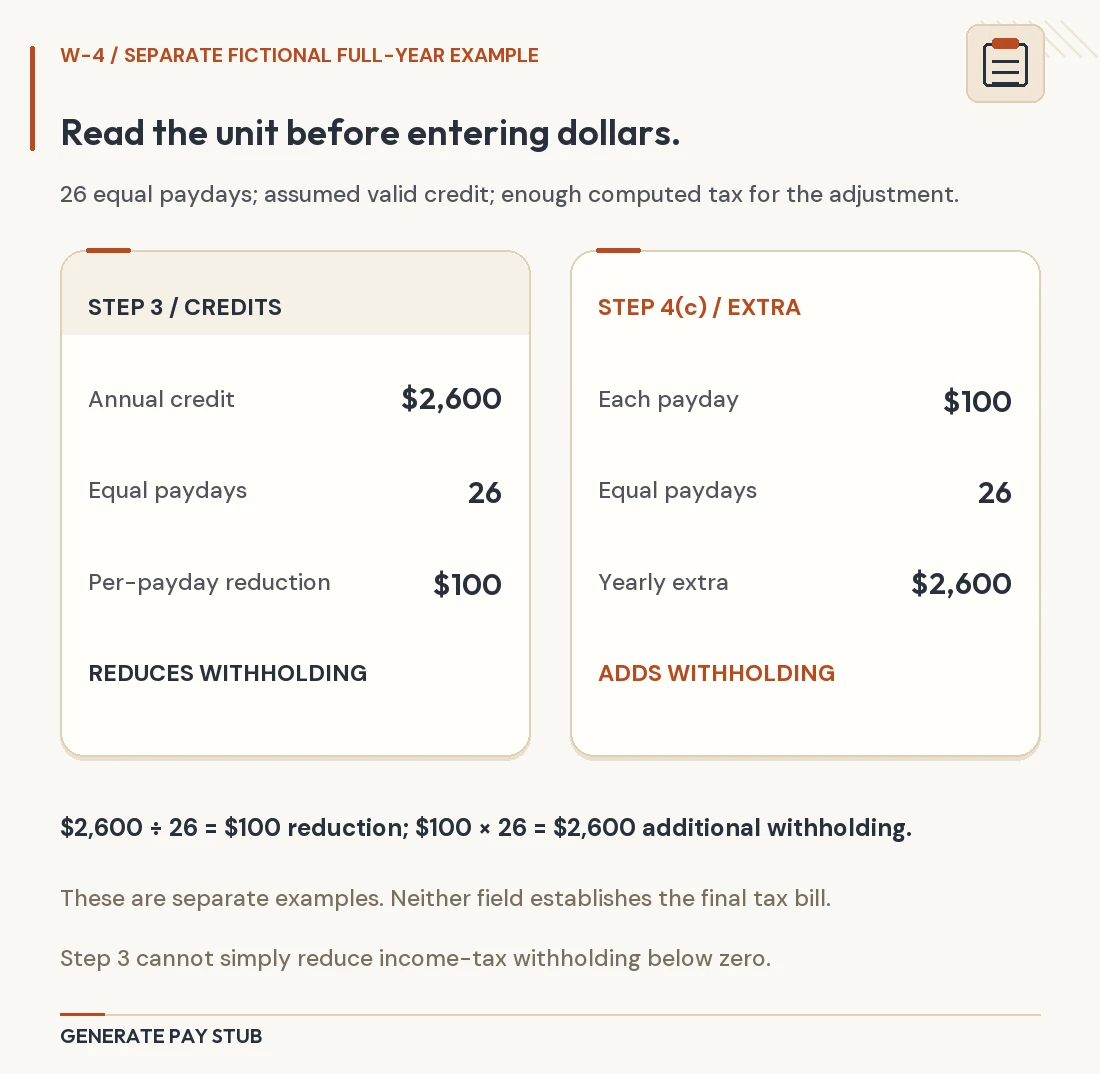
| 4(c): Extra withholding | Additional federal income tax for each pay period. | Entering an annual target, or treating this as total withholding. |
The current deduction worksheet addresses eligible items including specified tips, overtime, vehicle-loan interest and senior deductions, alongside other adjustments. These entries have conditions and limits; the label alone does not establish a deduction. For example, an overtime deduction does not mean every dollar on an overtime earnings line is deductible.
Use the actual 2026 worksheet, including its income-related calculations. Avoid recreating it from an old social-media checklist. For the payroll distinction, read our qualified-overtime deduction guide.
How do annual credits and extra withholding reach one paycheck?
Annual credits are allocated across the pay frequency; Step 4(c) is added per period. The order is shown in the employer's Worksheet 1A in IRS Publication 15-T for 2026.
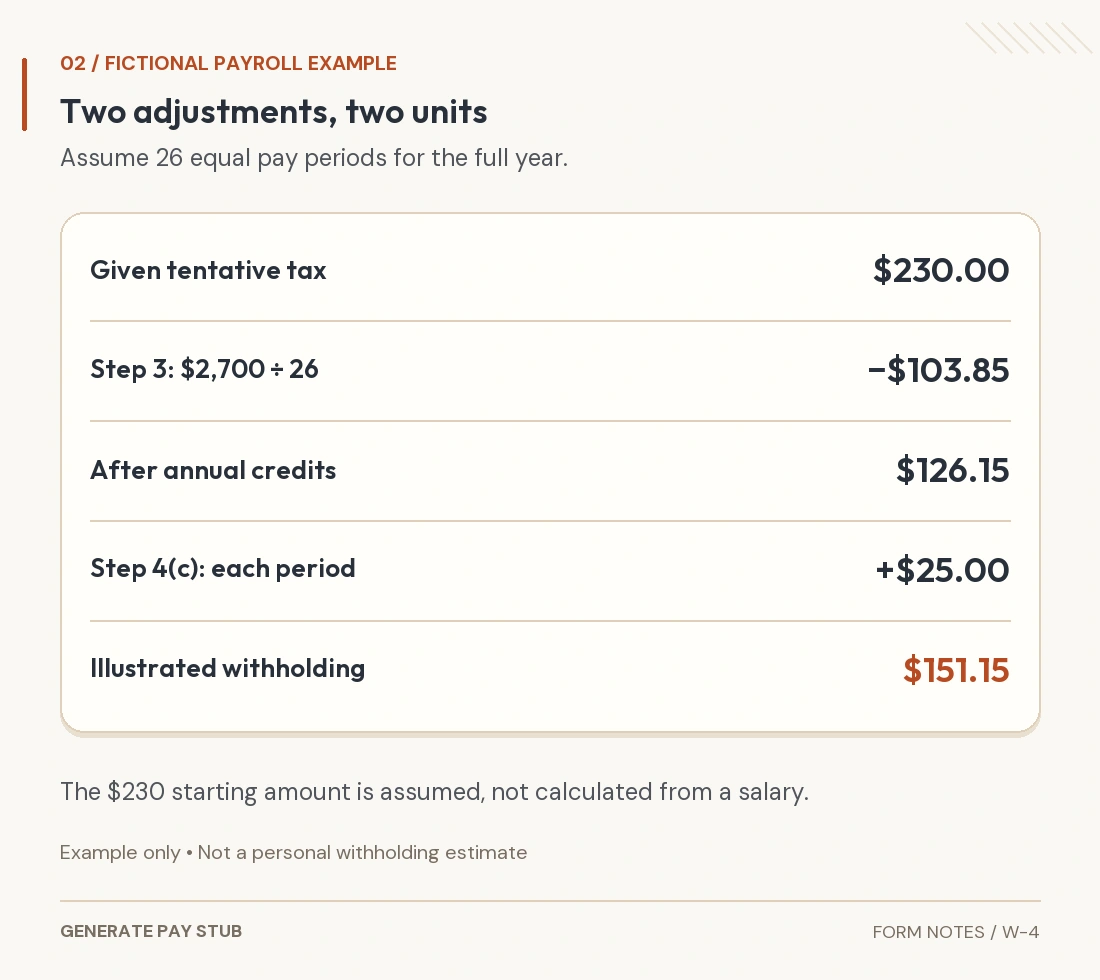
Assume a fictional employee has 26 equal pay periods in a full year. For this example, payroll's tentative withholding before Step 3 and extra withholding is given as $230 per period. We are not deriving that starting amount from a particular salary, filing status or tax bracket.
Also assume a valid $2,700 annual Step 3 entry, no other credit adjustments and $25 in Step 4(c). The annual credit allocation is $2,700 ÷ 26 = approximately $103.85 per period. Subtracting that from $230, then adding $25, gives approximately $151.15 for the illustrated period.

Under the cited worksheet, the credit step cannot drive the tentative tax below zero before extra withholding is added. Other permitted calculation and rounding methods can affect a payroll result. This example isolates two adjustments; it does not establish your tax liability, a refund, or the correct entries for your family.
Notice the practical difference: entering $25 in Step 4(c) adds $25 to each affected paycheck's withholding. It does not ask payroll to withhold only $25 in total. Review the rest of the calculation before using extra withholding to address a shortfall.
Can you claim exempt on a 2026 W-4?
Only if both federal income-tax conditions are met: you had no federal income tax liability for 2025 and expect none for 2026. A refund, student status or low withholding by itself does not establish eligibility.
The 2026 form has an exemption checkbox. Its instructions direct eligible employees to complete Steps 1(a), 1(b) and 5, leaving the other steps blank. They specify a new W-4 by February 16, 2027 to continue exemption for 2027. Check the detailed no-liability definition before certifying.
Exemption here does not exempt wages from Social Security and Medicare taxes. If your circumstances change, revisit eligibility promptly. Publication 505 covers exemption and replacement-certificate rules; use its detailed conditions rather than treating “exempt” as an optional way to increase take-home pay.
What changes when you update withholding partway through the year?
Account for wages and tax already processed, plus the paydays still remaining. A full-year illustration cannot tell you how to correct an existing shortfall with only a few checks left.
The estimator can help eligible users combine current information and YTD withholding. Its current FAQ says it cannot estimate future income for a job you have not started or a paycheck you have not yet received. Complete the required new-job certificate using the applicable instructions, then reassess when you have usable payroll records.
Do not independently replace the full-year pay frequency with remaining paychecks in every W-4 field. Follow the estimator's specific recommendations or a properly prepared withholding calculation. Save the assumptions and plan another review at the start of the next year, since a late-year correction may be unsuitable for a full following year.
How do you sign, submit and check the result?
Review the completed certificate, sign it and deliver it through your employer's accepted process. A stored draft, a builder purchase or an estimator result is not delivery to payroll.
- Confirm the year, identity and filing choice, unless the exemption instructions require that choice to remain blank.
- Recheck applicable job coordination, eligible credits, deduction-worksheet result and the units of each amount.
- Sign and date the certificate; an unsigned W-4 is not valid.
- Submit securely and retain a copy and submission date.
- Ask payroll when it will apply, then inspect federal income withholding on an affected pay stub.
A replacement for the current year need not take effect instantly. Publication 505 sets an implementation deadline tied to the first payroll period ending on or after the 30th day following delivery. Ask about the actual payroll timing before treating an unchanged immediate paycheck as an error.
If the result seems wrong, compare the submitted entries, effective date, pay frequency and taxable wages. Check whether a bonus or other unusual payment affected the comparison. Our taxable-wages explanation helps identify why the gross-pay headline may differ from the amount used for tax calculations.
Common W-4 questions
Should I claim zero or one?
The modern form has no withholding-allowance count. Use its filing-status, job, credit and adjustment fields. Do not translate an old allowance number into a dependent count.
Do I have to replace the form every January?
Not solely because the calendar changes, though an exemption requires renewal and relevant changes can require a replacement. Review annual assumptions and any temporary midyear adjustment.
What if I am a nonresident for U.S. tax purposes?
Use the special nonresident instructions rather than this ordinary walkthrough. The estimator FAQ directs nonresident users to Notice 1392 and says the estimator is not available for that status.
What if the IRS has issued a lock-in letter?
Do not assume a replacement certificate can reduce withholding contrary to that restriction. Publication 505 explains the IRS review and approval process. Ask the appropriate payroll contact or tax adviser to review the notice.
Where can you prepare and review a W-4?
You can obtain the official form free from the IRS or use your employer's accepted process. If you prefer a guided document workspace, review Generate Pay Stub's W-4 option and the W-4 builder.
The current builder offers 2026 and 2025 editions, withholding adjustments, worksheet assistance and a preview. Choose the appropriate year and check the finished certificate against the official instructions. The tool does not determine your tax eligibility, apply special nonresident adjustments or submit elections to your employer. Review its current completion and signature instructions before use.
General federal tax information, not individual tax advice. Examples are fictional. Use the full instructions and qualified help for unusual credits, deduction phaseouts, foreign status or IRS notices.