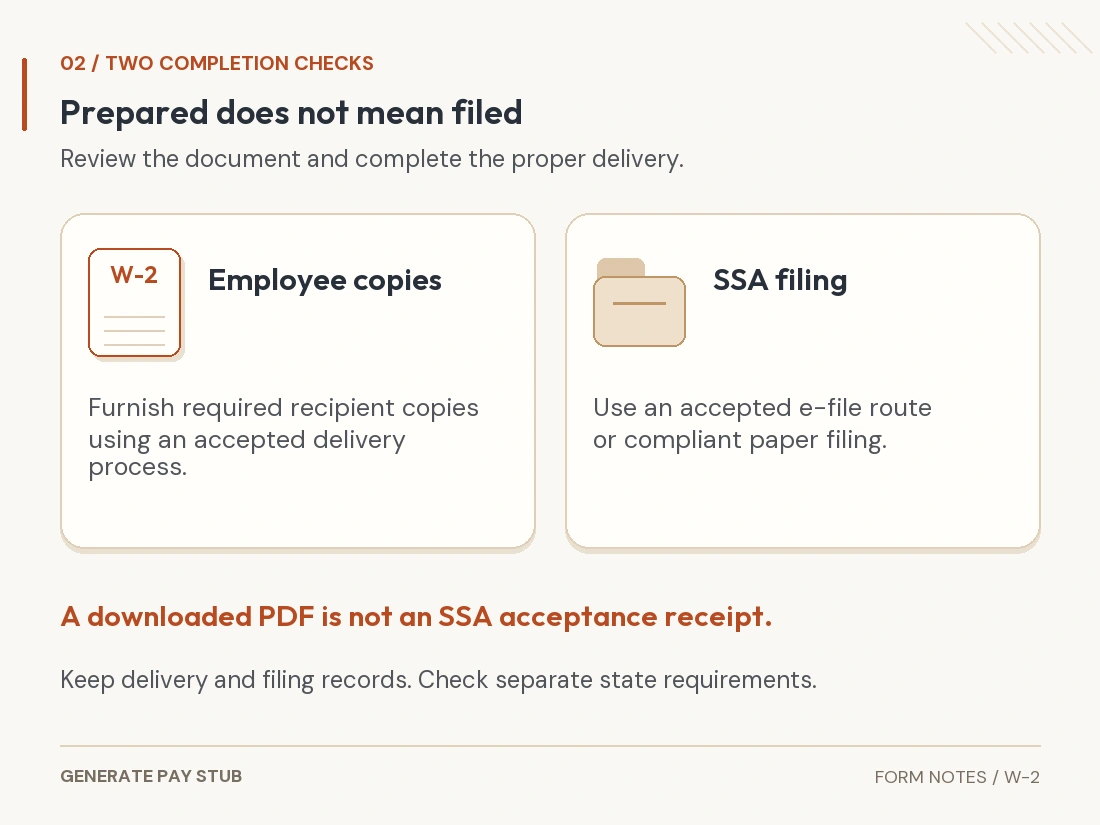
Prepare a W-2 from the employer's actual annual payroll records, with separate totals for federal taxable wages, Social Security wages, Medicare wages and taxes withheld. Check employee identity, benefit codes and state details before producing copies. Then complete the appropriate employee-delivery and government-filing steps; creating a PDF does not file it.
This is an employer preparation and review guide. If you are an employee looking for a missing statement, start with getting a W-2 from a former employer rather than recreating the employer's record yourself.
Checked November 5, 2026. The worked example uses the 2025 W-2 edition currently offered by the linked builder. It concerns an ordinary U.S. employee, with the assumptions stated below. The normal 2025 statement deadline was February 2, 2026, which has already passed; late or corrected reporting needs the applicable procedure.
Which payroll records should you gather before preparing a W-2?
Use a complete calendar-year payroll record, including adjustments processed outside regular pay runs. An annual salary rate or a few bank deposits cannot establish all the statement's wage and withholding fields.
- Employee-level payroll registers and final year-to-date totals.
- Federal income, Social Security and Medicare wage and withholding records.
- Retirement-plan contributions and relevant benefit records.
- State and local wage and tax totals, with the correct employer account identifiers.
- Employee identity and address records, plus employer legal identity and EIN.
- Any applicable third-party sick pay, taxable fringe, tip, correction or other special reporting information.
Assign a source to each number before typing. For example, keep a simple review note identifying the payroll report behind Box 2 and the plan report behind a Box 12 contribution. This helps a reviewer trace the statement without reconstructing the whole year.
Do not use a W-4 to invent annual withholding. That certificate contains elections for calculating payroll; the W-2 reports what happened. The W-4 walkthrough explains that distinction.
How do you review the employer and employee fields?
Match the legal employer and the employee's payroll identity before reviewing amounts. The employer's federal EIN belongs in its own field; a state payroll account number serves a different purpose.
Check the employee's first name, middle initial and complete surname, particularly compound names and suffixes. Verify the SSN against the appropriate records and protect it during review. A convenient display nickname should not silently replace the wage-reporting identity.
The SSA employer resource describes its name/SSN verification service for current and former employees' wage reporting. That service has a defined purpose; it is not permission to investigate unrelated people.
Review addresses for missing unit numbers and transposed postal codes. The control-number field is an employer tracking option, not an additional tax identifier. If identity records disagree, resolve the discrepancy through the proper process instead of making a plausible-looking entry.
How do the main W-2 boxes fit together?
Read wage boxes and tax boxes as related but separate facts. The official 2025 form places federal wages beside federal withholding, Social Security wages beside Social Security withholding, and Medicare wages beside Medicare withholding.
| Area | What to review | Source or question |
|---|---|---|
| Boxes 1 and 2 | Federal taxable compensation and federal income tax withheld. | Do these match the year’s payroll wage and withholding records? |
| Boxes 3 through 6 | Social Security and Medicare wages and employee taxes. | Have the relevant wage exclusions, cap and withholding rules been applied? |
| Boxes 7 through 11 | Tips, allocated tips, dependent-care benefits and nonqualified-plan amounts, where applicable. | Does a special category require its own reporting instructions? Box 9 is unused. |
| Boxes 12 through 14 | Coded amounts, applicable employee-status checkboxes and other reportable information. | Does each code, amount and selection have supporting records? |
| Boxes 15 through 20 | State and local identifiers, wages and taxes. | Does each jurisdiction’s row use the correct account, wage total and tax total? |
The 2025 W-2/W-3 instructions supply the detailed definitions and special cases. This map is a review aid, not a substitute for those rules. Do not fill an unfamiliar box merely because the software offers it.
Federal taxable wages are not take-home pay. Likewise, the statement's employee taxes do not include the employer's matching share. Keep deductions, wages and taxes distinguishable throughout the review.
Worked example: why can Box 1 differ from Boxes 3 and 5?
Different exclusions can produce different wage bases from the same payroll. The following fictional example isolates two ordinary deductions.
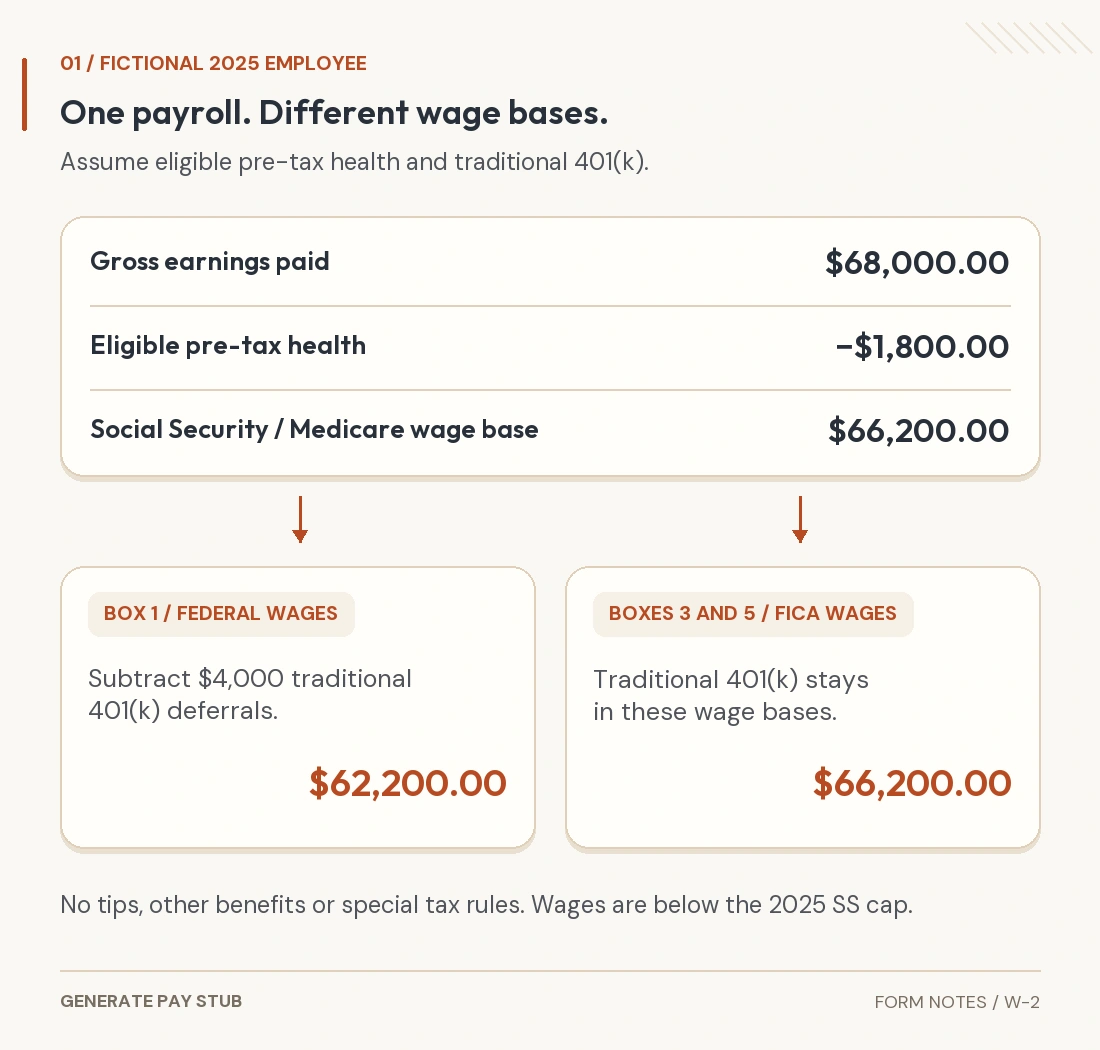
Assume an employee received $68,000 in gross cash earnings during 2025, made $4,000 of traditional pre-tax 401(k) elective deferrals and paid $1,800 for eligible health coverage through a valid Section 125 arrangement. Assume the health amount is excluded from federal income, Social Security and Medicare wages. There are no tips, taxable fringe additions, Roth contributions, third-party sick pay or other adjustments.
The retirement treatment follows the IRS retirement-contribution reporting FAQ: traditional employee deferrals generally reduce Box 1 while remaining in Social Security and Medicare wages. The health exclusion is a stated assumption consistent with the applicable benefit rules in 2025 Publication 15-B; not every insurance deduction qualifies.

| Item | Calculation or basis | Amount |
|---|---|---|
| Box 1 wages | $68,000 − $1,800 − $4,000 | $62,200.00 |
| Box 3 Social Security wages | $68,000 − $1,800; below the 2025 cap | $66,200.00 |
| Box 5 Medicare wages | $68,000 − $1,800 | $66,200.00 |
| Box 4 employee Social Security tax | $66,200 × 6.2%, assuming fully collected | $4,104.40 |
| Box 6 employee Medicare tax | $66,200 × 1.45%, assuming fully collected | $959.90 |
| Box 2 federal income tax withheld | Assumed actual payroll total; not derived here | $6,200.00 |
| Box 12, Code D | Actual traditional 401(k) elective deferrals | $4,000.00 |
The SSA historical wage-base table gives a $176,100 Social Security wage maximum for 2025. Medicare has no equivalent wage ceiling. The employee rates used above are 6.2% and 1.45%; IRS Topic 751 also explains employer Additional Medicare withholding of 0.9% on wages exceeding $200,000, regardless of filing status. That additional tax is outside this example.
The $6,200 Box 2 amount is deliberately supplied as a recorded fact. Multiplying annual wages by a guessed income-tax percentage would not establish actual withholding. Compare each tax total with the register, including any payroll rounding or corrections.
If deductions in your records differ, do not reuse these results. A designated Roth deferral, for example, does not receive the same Box 1 treatment as the traditional deferral illustrated here. See our Roth payroll guide for context.
How do Box 12 codes and Box 13 selections work?
Match each code to its actual category instead of treating all benefit amounts alike. In the example, Code D identifies the traditional 401(k) elective deferrals. Other plan types and Roth contributions use different codes; consult the edition's code list.
Retirement participation also needs a separate Box 13 review. Use the IRS decision chart, not the mere existence of an old retirement account. In this example, current-year 401(k) elective deferrals support checking the retirement-plan box.
Health coverage cost reported with Code DD is informational. The IRS health-coverage reporting guidance explains that reporting excludable coverage does not make it taxable. Applicable cost reporting generally includes employer and employee portions, with transition relief for certain employers and coverage situations.
For example, a separately verified $12,000 reportable health-coverage cost would not automatically become $12,000 of additional wages or another $12,000 deduction. It answers a different reporting question. Determine whether reporting applies and calculate the applicable cost from benefit records.
Statutory-employee and third-party-sick-pay selections also have defined meanings. Box 14 can convey other applicable information, but a short label does not override the tax treatment required elsewhere. Ask a qualified payroll professional to review unfamiliar benefits or special employment categories.
What should you check in state and local rows?
Use the relevant jurisdiction's payroll totals and assigned identifiers. Do not assume state taxable wages always equal federal Box 1 wages or that every employee belongs in the employer's home state.
A multi-state employee can require more than one row and separate jurisdictional review. State disability, local income tax and other payroll items must be placed according to the applicable instructions, not forced into a federal withholding field.
Confirm which authority received the tax and which period the wages cover. When the employee's residence and work location differ, resolve the governing rules before formatting the statement. A generator's default state is a starting field value, not a tax determination.
What should you reconcile before releasing copies?
Compare employee totals, employer totals and the supporting returns. A statement can look internally tidy while still missing an off-cycle payment or benefit adjustment.
- Confirm the calendar year and earnings actually paid in it.
- Trace every wage base, tax amount and code to its supporting report.
- Check employee statements against the employer's annual wage-report totals.
- Reconcile relevant W-3 and employment-tax return totals, documenting legitimate differences.
- Review names, identifiers, addresses, state rows and all output copies.
Our final-pay-stub reconciliation guide explains employee-level differences. For the employer's broader payroll return, see how payroll records support Form 941. Apply the correct year's rules when reviewing older records.
Which W-2 copies and filing routes matter?
Employee delivery and SSA filing are separate responsibilities. The normal deadline for 2025 W-2s was February 2, 2026. If the statement remains unfiled now, do not treat that past deadline as a future planning date or assume an extension was automatic.

The IRS PDF warns that downloaded Copy A is informational and is not a scannable paper SSA filing copy. Recipient copies have a different use. Do not print the informational red page and assume it satisfies paper filing.
The IRS e-file overview directs W-2 and W-2c electronic filings to SSA, rather than the IRS system used for many 1099 forms. Electronic filing is generally required at an aggregate of 10 or more covered information returns; assess the applicable aggregation and waiver rules instead of counting only one form type.
Start from SSA's current employer instructions for account access and filing options. Its W-2 application changed in 2026, so an old saved walkthrough may describe a retired screen. Preserve the accepted filing result, resolve rejections and meet any separate state obligations.
What if a W-2 is wrong or already filed?
Determine the filing and delivery status before choosing the correction process. A draft error and an error in an already filed wage report are not handled identically. The official instructions cover W-2c/W-3c procedures and special cases.
Keep the original records and document the reason for the change. Do not send a second ordinary original statement for the same employee and year merely to replace a filed amount, or alter an employee's copy while leaving the government report inconsistent.
If the issue is an employee address, name, identifier, wage amount or state-only field, identify that specific issue for review. Those differences can affect which copies, agencies and correction steps are required.
How should you use Generate Pay Stub's W-2 builder?
Enter and review verified annual payroll totals. The W-2 document guide links to the W-2 builder. At review, its available edition is 2025.
Choose the payroll-totals approach when you have the actual records. The calculator option produces estimates from assumptions; those estimates do not establish what was paid or withheld. Check employer and employee identity, each annual total, state/local rows and any coded benefits against the source reports.
The current tool states that recipient copies are filled and red Copy A remains blank. Review every page and the current completion instructions. A purchased document does not verify payroll, file with SSA or settle employee classification. Use an accepted reporting route separately.
General U.S. reporting information. Fictional figures are not payroll records. Special employers, territories, tips, benefits and corrections can require additional rules and professional review.