
When a payment includes work at two hourly rates, the total alone does not show how the earnings were built. Keeping each rate beside its corresponding hours makes the record easier to prepare, explain, and review.
This guide focuses on organizing multiple straight-time earnings lines. The example assumes no overtime is due and no other earnings apply; it is not a complete payroll calculation for every work arrangement.
Start with the reason for each rate
An employee might perform different types of work at agreed rates, or have an approved rate change during the period being documented. Use the employment and payroll records to establish which rate applies to which work. Do not infer a rate merely by dividing a payment by a remembered number of hours.
For each line, identify the rate, the associated hours, and the source record supporting that pairing. If a rate changed, retain the effective date in your preparation notes. If payroll uses earning codes, confirm what each code means rather than copying an abbreviation you cannot explain.
Build the earnings rows before the total
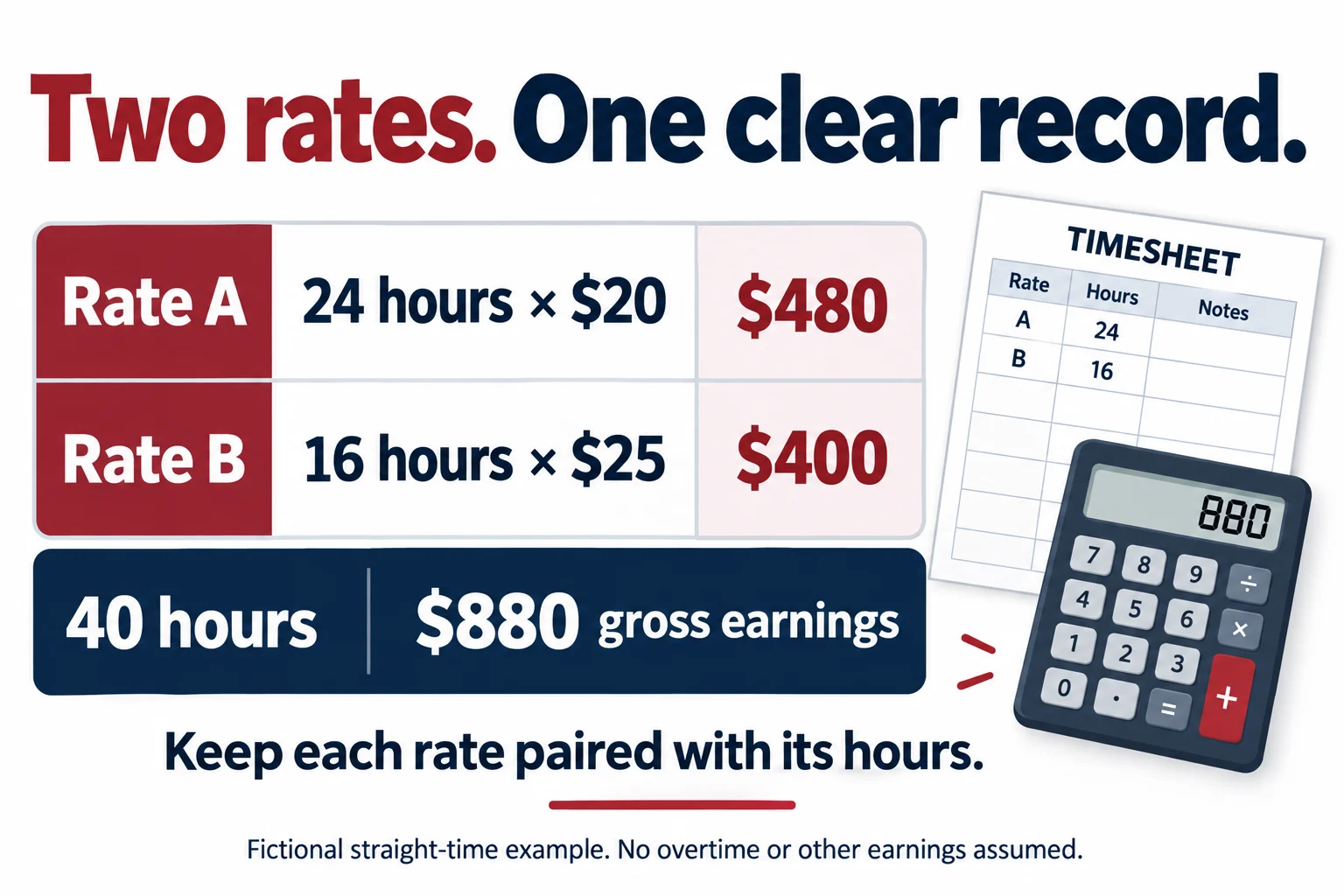
Consider one fictional workweek containing the following straight-time work:
- Rate A: 24 hours at $20 per hour produces $480.
- Rate B: 16 hours at $25 per hour produces $400.
- Total: 24 + 16 = 40 hours, and $480 + $400 = $880.
These lines preserve the connection between the time worked and the amount earned. They also give a reviewer two manageable checks before reviewing the combined figure.
The $880 is gross earnings in this limited example, not take-home pay. Taxes and other deductions have not been calculated. Also, a 40-hour weekly total does not by itself establish that no overtime is due under every applicable rule; the example expressly assumes that none applies.
Do not replace the detail with a simple average
A tempting shortcut is to average the two listed rates: ($20 + $25) ÷ 2 = $22.50. But multiplying $22.50 by 40 gives $900, which is $20 more than the actual straight-time earnings in this example. That shortcut gives the rates equal weight even though the employee worked more hours at the lower rate.
Dividing the actual $880 by 40 produces a weighted average of $22. That can describe the example’s overall arithmetic, but it should not erase the original $20 and $25 rates or the hours attached to each. Whether a statement must display particular rates and hours depends on the applicable requirements; our template review guide explains how to check them.
Overtime needs its own calculation
For covered nonexempt employees, the federal overtime rules generally use a workweek and a regular rate. The Department of Labor’s Fact Sheet 23 explains that when an employee performs different work at established straight-time rates within one workweek, the regular rate is generally a weighted average. The guidance also describes an alternative method permitted under specified conditions.
Do not automatically choose the lower rate, the higher rate, or a simple average for overtime. Nor should hours be averaged across two weeks to avoid a weekly overtime obligation. Bonuses, other compensation, state rules, and the particular employment arrangement can affect the calculation.
Have payroll establish any overtime amounts separately before preparing the statement. The straight-time illustration above does not determine an overtime premium or authorize a particular method.
Watch for hours counted twice
Different payroll layouts can display ordinary earnings and premiums in different ways. An additional premium line may refer to hours already included in another line. Adding every displayed hours figure without understanding the labels can therefore produce a misleading total.
Ask what each line represents: additional hours, a full earnings amount, or only a premium attached to hours recorded elsewhere. Then reconcile the actual worked hours to the approved time record. Do not remove a valid payroll line solely because it looks repetitive.
Review the document in three passes
- Pairing: confirm each group of hours uses the rate established for that work or effective date.
- Arithmetic: check the earnings lines and combined total, keeping any separately determined premiums clear.
- Presentation: confirm the finished document makes the rates, hours, and amounts understandable.
Use our source-record checklist to keep the supporting material together. If a figure differs by a cent, investigate the actual calculation sequence using the rounding review rather than changing a rate to force a match.
Choose a format that can represent the record
Before entering figures in GeneratePayStub.com, inspect the available fields in the regular and enhanced options. If your required breakdown does not fit the available fields, ask support about the layout instead of combining unlike information into an unrelated box.
Once the data is entered, follow the PDF review checklist. A readable statement should let the reviewer trace the total back to the actual earnings lines.