If you receive a W-2 from an employer you do not recognize, first check whether its legal name relates to work you actually performed. If the wages are not yours, use the appropriate employer, IRS and Social Security correction channels. Do not add unearned wages to your return simply to match the form.
An unfamiliar name can be a record-matching issue; confirmed wages that are not yours can also signal employment-related identity misuse. The document or notice you received determines the next step. An informational IRS notice and a proposed tax change should not be handled as if they were identical.
U.S. guidance reviewed November 19, 2026, including SSA’s August 2026 correction FAQ. This guide explains record-review routes; individual notices, eligibility and required evidence control the actual process.
Verify the document and any legitimate payroll connection
Read the tax year, employer legal name, employer identification number, employee name and the wage fields. Compare them with your real employment history and existing statements. If you are reviewing a joint tax notice, also consider whether an identified income item belongs to your spouse rather than assuming every unfamiliar entry is fraudulent.
A known employer’s operating name may differ from the legal name you see on a wage record. Ask a payroll contact you already know whether the listed entity belongs to your actual payroll arrangement. A different name or EIN is a question to investigate, not proof of theft. Our employer-EIN guide explains what that identifier does and does not establish.
Use a verified website or established contact route. Do not send a full Social Security number, identity document or account password to a person who contacted you unexpectedly. If the document arrived in a suspicious message, preserve it and verify the claimed issuer independently before opening further attachments or following its links.
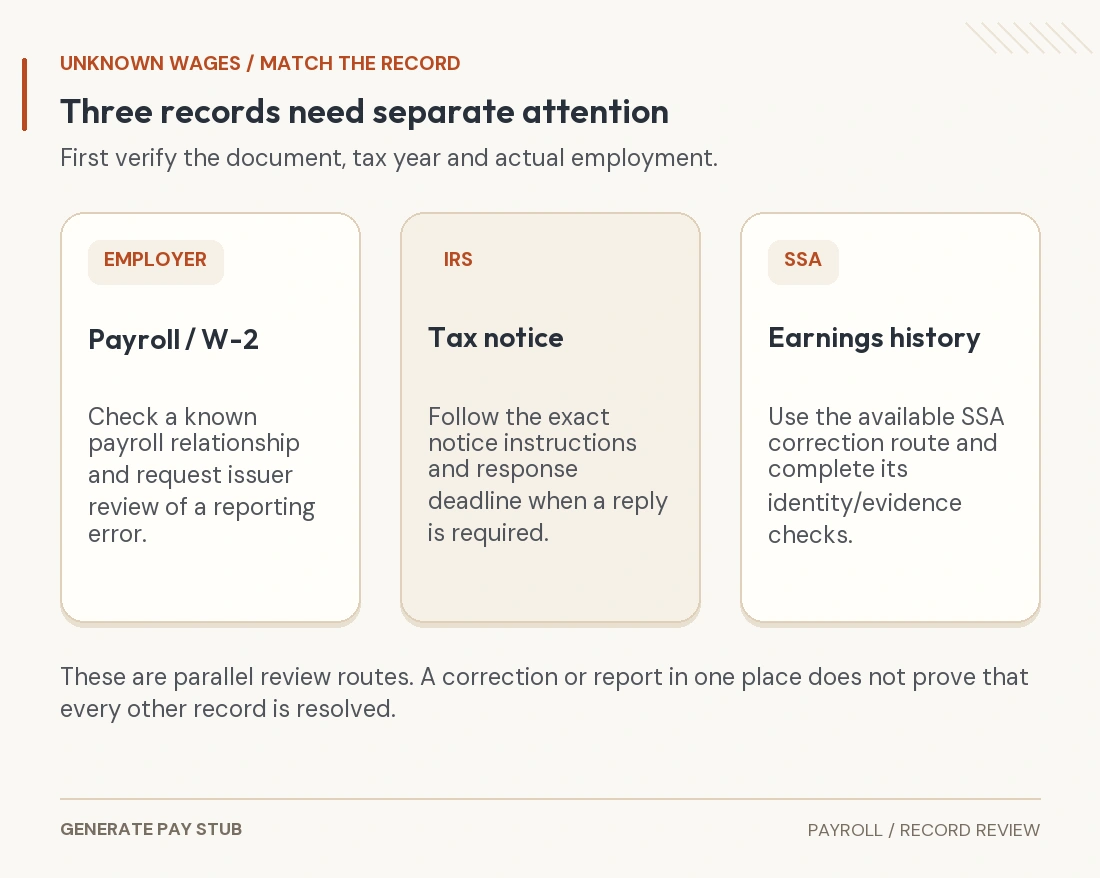
For a known employer with an ordinary wage-reporting error, request the appropriate issuer review and correction. The duplicate and corrected W-2 guide helps distinguish a replacement from additional wages. A corrected copy should remain connected to the original; do not simply add both.
Follow the IRS guidance for wages you did not earn
When the income really is not yours, the IRS’s employment-related identity-theft guidance gives situation-specific directions. For an unknown-employer W-2 or 1099, it says not to include that unearned income or amend a return to add it, and directs the person to SSA to review earnings records.
That is different from omitting income you actually earned. Continue reporting your own correct income. If the issue is a known employer’s inaccurate amount, rather than income belonging to someone else, use the correction process appropriate to those facts. A tax professional can help when the distinction or return treatment is unclear.
Do not create a replacement pay stub or alter the unfamiliar W-2 to make the discrepancy disappear. Those actions do not correct an issuer’s filing, an IRS account or SSA’s record. Keep the original and document the legitimate resolution.

Distinguish a W-2 from an IRS notice
Write down the notice or document type before acting. Read the entire notice, including the tax year, questioned payer, explanation and response instructions. Use its deadline when a response is required.
| Record received | What it means for this review | Next step to verify |
|---|---|---|
| W-2 from an unfamiliar employer | First establish whether it represents your actual employment or wages that are not yours. | Use the IRS unknown-employer guidance and review the SSA earnings record when the income is not yours. |
| IRS CP01E | The IRS identifies potential employment-related SSN misuse; its notice page describes no current known tax-account impact. | Follow its identity-protection and earnings-review guidance; the CP01E FAQ says Form 14039 is not needed for that notice. |
| IRS CP2000 series | A mismatch can lead to a proposed tax change, and a response may be required. | Follow the particular notice by its listed date. For wages you did not earn, use the IRS employment-related instructions immediately. |
| SSA notice affecting a benefit or earnings record | The reported earnings and their effect need separate SSA review. | Contact SSA through its verified service and follow the record-correction and evidence instructions. |
The CP01E notice page is specific: it describes the identity-theft indicator already placed on the account and says Form 14039 is not needed for that notice. Do not turn that instruction into a blanket rule for every other identity-theft situation.
The CP2000 series guide says the notice explains proposed changes and is not a bill. It also requires following the response instructions when applicable. Waiting for a company or SSA to finish its review does not, by itself, extend an IRS response deadline. If the questioned wages are not yours, explain that through the notice’s designated route instead of agreeing merely to close the matter.
Review the Social Security earnings record separately
SSA’s current FAQ on removing earnings that are not yours says some people can request a correction through their personal my Social Security account. Not everyone is eligible for that online service. If it is unavailable, the FAQ describes an office route involving identity verification and additional information.
SSA may ask for a declaration, supporting records and, in some cases, Form SSA-7008. Its FAQ recommends bringing filed tax-return copies for the affected years to an office visit. Follow the requested evidence process rather than assuming a posted amount can be deleted instantly. SSA also notes that changes can affect benefit eligibility, estimates or determinations.
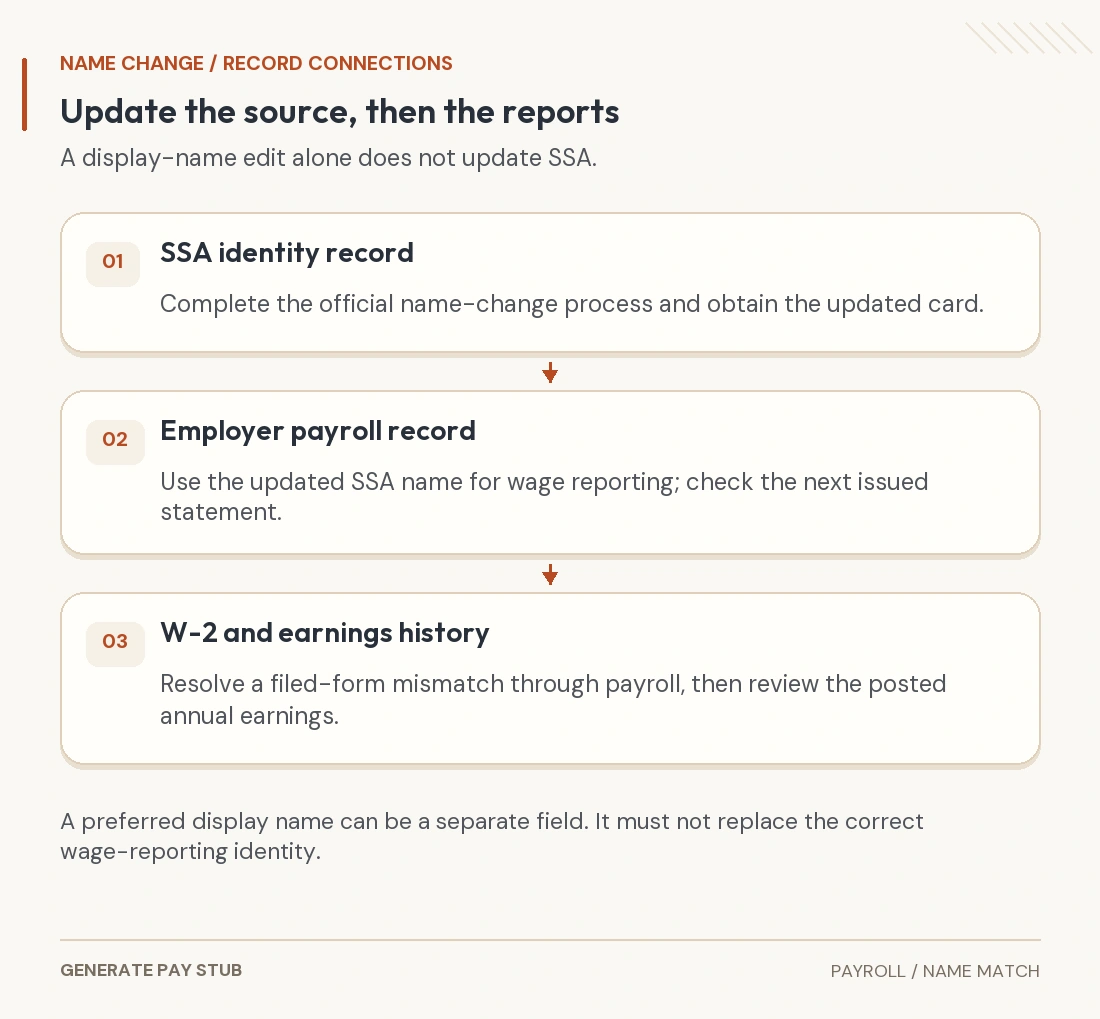
Review the affected years and keep your submission and case references. A company’s statement that it corrected a W-2 is useful evidence, but verify the agency record when the review is complete. Our name-change record guide covers a separate identity-matching problem when the employment and wages are genuinely yours.
Protect your identity without duplicating reports
SSA corrects its earnings record; it does not replace the identity-recovery process. The FTC’s IdentityTheft.gov checklist explains reporting suspected misuse, reviewing credit reports and other applicable recovery steps. Follow the steps relevant to your situation, including any affected financial accounts.
The IRS’s individual identity-theft guide also covers account protection, an Identity Protection PIN, recordkeeping and following IRS instructions. An IP PIN protects tax-return filing; it should not be described as automatically removing wages from an earnings record.
Form 14039 is not a universal first step for an unfamiliar wage document. The IRS employment-related guide says most people do not need it, identifies tax-related identity-theft circumstances and warns against duplicating a form already submitted. Use the current instructions for your actual case, including any notice-specific direction.
Keep a small, secure correction file
Organize the original document or notice, its envelope or delivery details if relevant, affected year, questioned employer and amount, real employment records, correspondence, case references and response dates. Separate what is confirmed from what is still being investigated. A brief dated chronology is more useful than repeatedly sending an entire personal document archive.
A first inquiry to a known payroll contact can be simple: “I am reviewing my wage records for [year]. Does [listed legal employer] relate to my actual payroll? If not, please identify the appropriate issuer-review contact.” Do not put a full SSN or password into an ordinary email just to identify the question.
When an agency’s verified process requires identity evidence, use that process. For other recipients, ask what they need and whether any redaction is permitted. The PDF redaction guide explains why covering a field visually is not the same as removing its underlying information. Preserve the complete original securely.
Check that each affected record is resolved
Confirm the outcome separately for the issuer’s document, any IRS notice or account issue, SSA’s earnings record and any other affected account. Record what changed and what remains pending. Do not assume that a report to one organization closes every process.
If the notice is time-sensitive, you cannot identify the correct response route, or a tax or benefits decision is disputed, obtain appropriate professional or agency help promptly. For your own legitimate earnings records, start with the employer’s payroll team; our statement access guide explains that request.
A document generator has no role in removing someone else’s wages from official records. The useful result is an evidence-backed correction through the responsible issuer or agency, while your actual payroll and tax history remain accurate.