Off-cycle payroll is an additional payroll run outside the normal processing schedule. It can pay a bonus, release wages missed in an earlier run, or process another approved adjustment. The extra statement should identify the actual payment, use the correct tax treatment, and connect to the employee’s existing payroll history.
An off-cycle paycheck does not automatically restart year-to-date totals, replace the next payday, or qualify for a flat bonus-withholding rate. First identify what is being paid. Then check how the extra run flows into the next regular statement.
U.S. payroll guidance reviewed November 19, 2026. Tax examples use 2026 federal rules; state requirements, benefit elections and payroll-system procedures can differ.
Off-cycle payroll describes timing, not the type of wage
A regular payroll schedule might issue wages every other Friday. A separate Tuesday payment between those Fridays is off-cycle because of its timing. That description says nothing, by itself, about whether the money represents ordinary wages, a commission, a bonus or a correction.
Keep off-cycle and supplemental wages distinct. The first describes the run; the second is a federal withholding category. A bonus can be paid on the usual payday, and an extra run can contain regular earnings. The IRS’s 2026 employer tax guide explains the supplemental-wage rules and the conditions for the available withholding methods.
The dates also answer different questions. The pay period identifies the work or earnings interval; the payment date identifies the payment being issued. An adjustment can refer to earlier work without changing those dates into the same field. Our pay-period and pay-date guide explains that distinction.
Separate new earnings, corrections and replacement payments
Before asking whether an extra paycheck is correct, establish why it exists. A new payment for previously unpaid earnings and a replacement of an already recorded payment require different reconciliation steps.
| Situation | What to verify | Main double-counting risk |
|---|---|---|
| A newly approved bonus or commission | The earning amount, applicable withholding method and any affected overtime calculation. | Entering the same award again in the next regular run. |
| Wages omitted from the original run | The missing hours or earning lines and any related tax, deduction or overtime adjustment. | Paying the entire original period again instead of the approved difference. |
| Replacement of an undelivered payment | The original payment’s status and the employer’s void/reissue trail. | Recording a second set of earnings for one underlying obligation. |
| A previously issued statement contains an error | Whether payroll is correcting source amounts, reversing a payment, issuing a difference or replacing only the document. | Treating every revised PDF as an additional payment. |
If the problem is missing hours or an incorrect figure, use the payroll correction workflow. If the earnings were correct but the payment is missing, start with the check, advice and payment-reference guide. Preserve the source record rather than creating a new set of earnings simply to match a bank deposit.
Follow three payroll runs through one YTD record
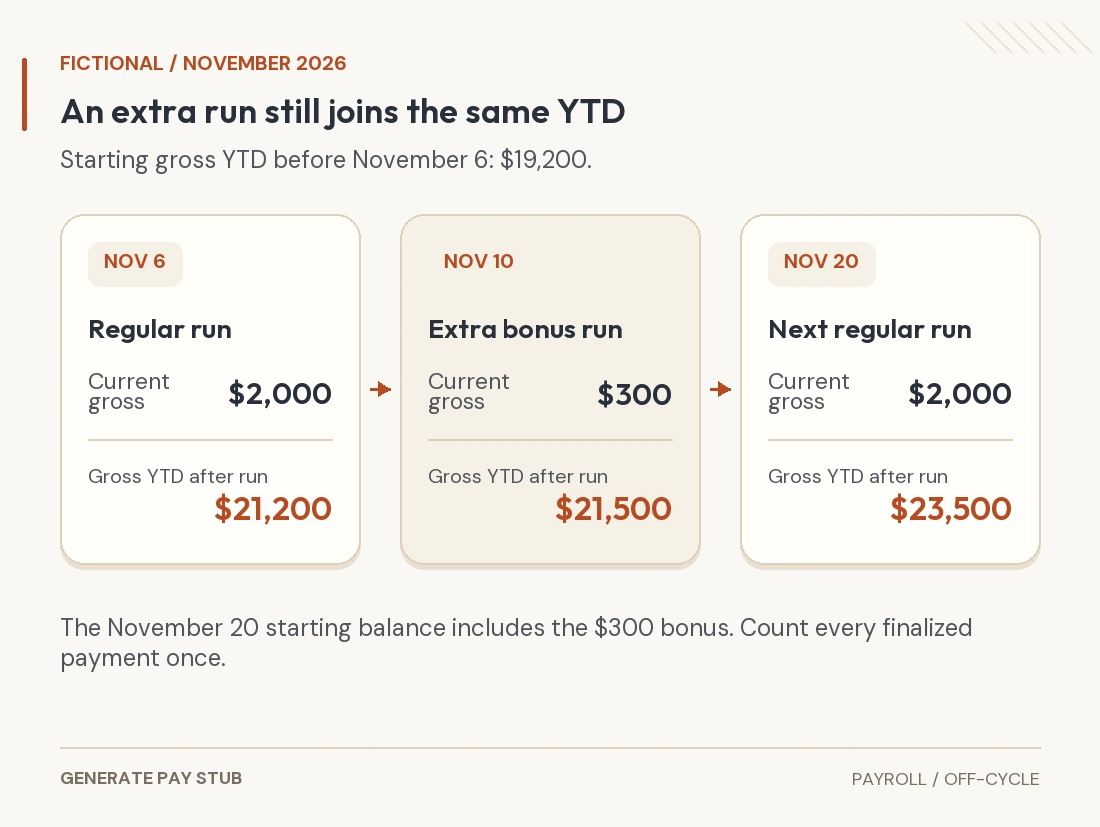
Consider a fictional employee with $19,200 in gross wages before November 6, 2026. The regular November 6 payment adds $2,000. An approved off-cycle bonus on November 10 adds $300. The next regular payment on November 20 adds another $2,000. This example tracks gross earnings only, with no reversals, other earnings or payroll-history changes.
| Payment date and run | Current gross | Gross YTD after payment |
|---|---|---|
| November 6 — regular | $2,000.00 | $21,200.00 |
| November 10 — off-cycle bonus | $300.00 | $21,500.00 |
| November 20 — next regular | $2,000.00 | $23,500.00 |

Two errors stand out: $23,200 on the November 20 statement would omit the bonus; $23,800 would count it twice. The correct gross YTD in this limited example is $23,500. Reconcile each tax and deduction’s cumulative field separately because a gross-wage bridge does not establish every taxable-wage base.
When one system pays the extra run and another produces the next statement, confirm that the finalized balances transferred. Keep the run reference and cutoff with the handoff. The YTD reconciliation guide covers cumulative fields; the payroll-provider transition guide covers a system change.
Check the withholding method before estimating the deposit
A smaller-than-expected deposit does not establish that the extra payment was taxed incorrectly. The amount of the earnings, the permitted withholding method, applicable wage thresholds and deductions all matter. Payroll withholding is also different from the employee’s final income-tax liability.
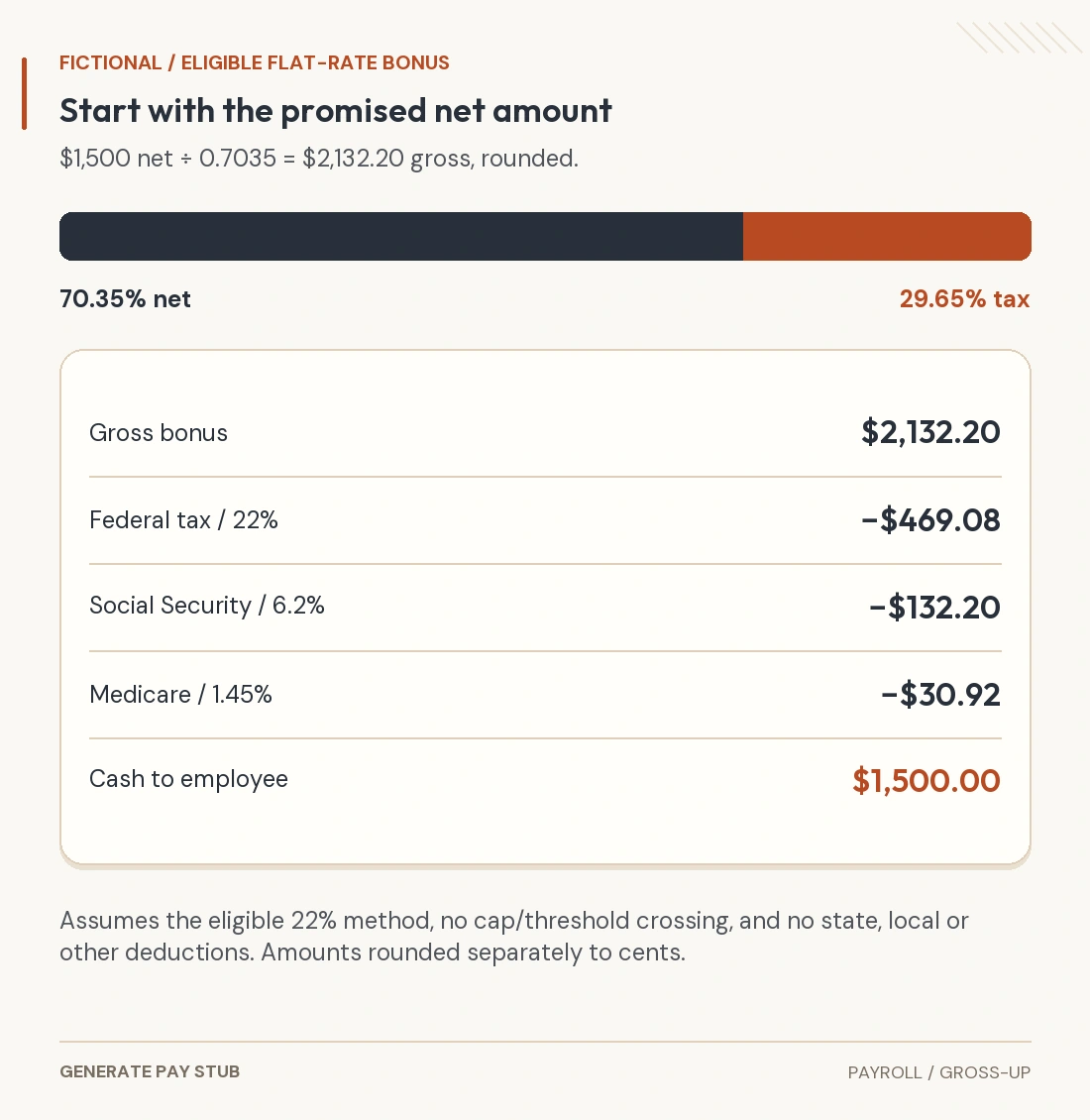
For a separately identified supplemental payment within the $1 million annual threshold, an employer can choose 22% federal income-tax withholding when the eligibility conditions are met, including withholding income tax from that employee’s regular pay in 2026 or 2025. An aggregate method is another permitted route; special rules apply above $1 million. Do not apply 22% to every payment merely because the payroll screen says “off-cycle.”
A complete, deliberately limited $300 bonus example
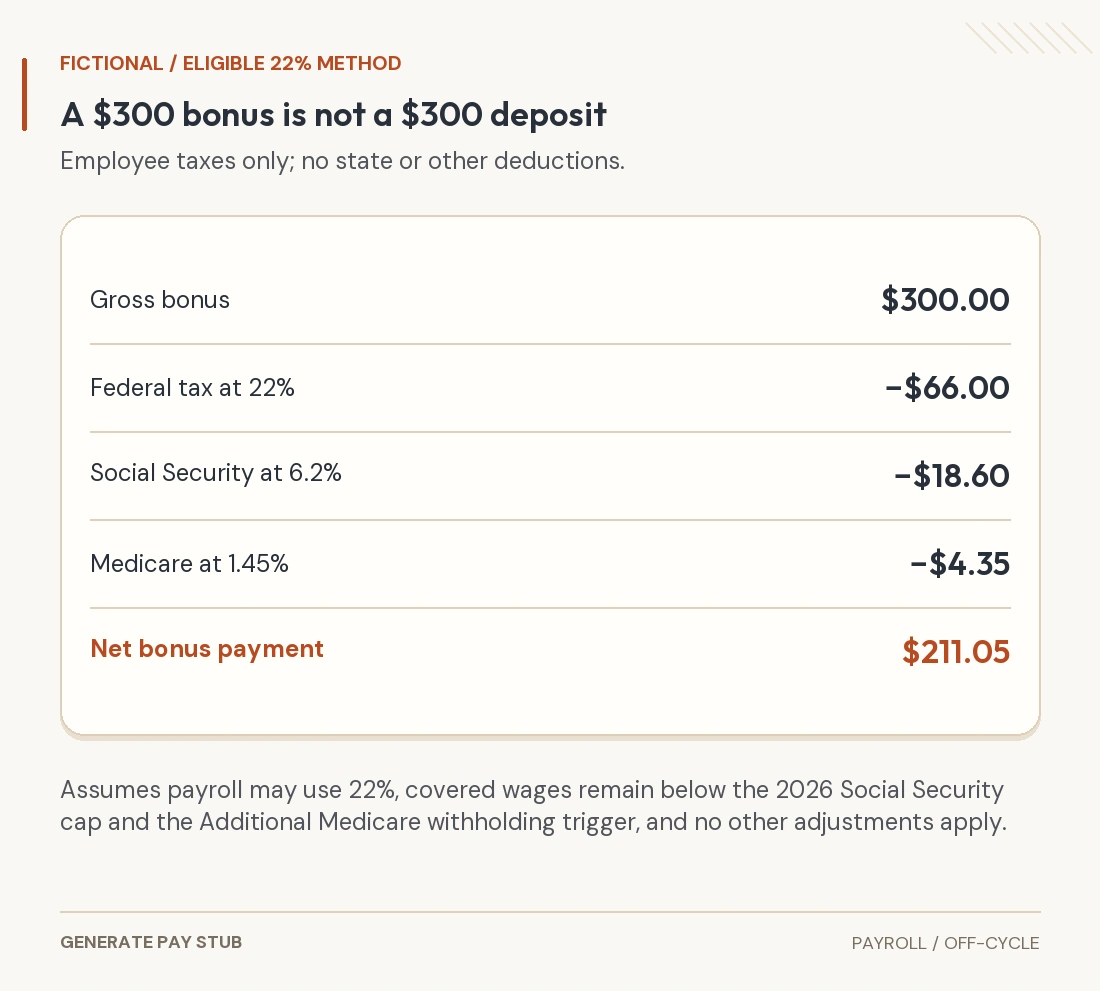
Assume payroll has established a $300 cash bonus and addressed any associated overtime adjustment separately. Assume the employer can and does use the eligible 22% method, all $300 is subject to Social Security and Medicare taxes, covered wages remain below the 2026 Social Security limit and Additional Medicare withholding trigger, and there are no state/local taxes, benefit deductions, garnishments or other adjustments.
| Line | Calculation | Amount |
|---|---|---|
| Gross bonus | Approved earning | $300.00 |
| Federal income tax withheld | $300 × 22% | $66.00 |
| Employee Social Security | $300 × 6.2% | $18.60 |
| Employee Medicare | $300 × 1.45% | $4.35 |
| Net payment | $300 − $66 − $18.60 − $4.35 | $211.05 |

The IRS’s Social Security and Medicare guidance supports the employee rates. In 2026, the Social Security wage limit is $184,500; employer Additional Medicare withholding begins on wages above $200,000. Earlier payments still count toward those tests. A separate run does not create a fresh limit.
For a bonus linked to nonexempt work, tax treatment is only one review. The Department of Labor’s bonus and regular-rate guidance explains that includible bonuses can affect overtime, and the label “discretionary” is not decisive. See our bonus-pay guide for the separate withholding and overtime questions.
Review deductions and benefit elections separately
Do not assume that every deduction must repeat on the extra run or that none should apply. A fixed health premium, a percentage retirement election, a loan repayment and an income-withholding order may follow different terms. Ask which earning codes, elections, plan provisions or orders govern each line.
For a fixed amount already collected from regular wages, check whether the extra run would collect it a second time. For a percentage election, ask whether the bonus is eligible compensation under the plan and whether any limit or election change affects the calculation. Our deduction guide explains why take-home deductions and taxable-wage adjustments cannot be treated as the same number.
Reconcile the statement, payment and payroll reporting
For the extra run, retain an approved earning calculation, its reason, the affected work period where relevant, the actual payment date, deductions, net amount and payment reference. The Department of Labor’s recordkeeping guidance identifies payment timing and wage detail among covered employer records; it is not a universal wage-statement template.
Then match the statement to the payment and to the payroll register. A bank confirmation establishes a payment event; it does not supply the full earning and deduction breakdown. The register reconciliation guide shows how the employee statement fits the broader payroll records.
Employers must also review reporting and deposit timing for the actual wage payment. The 2026 Form 941 instructions distinguish reporting tax liability from making deposits. An extra run can create liability on another payday; do not wait for the next routine processing date without checking the applicable deposit rule. State wage-payment deadlines and bank processing cutoffs require their own review.
Questions to send payroll about an extra paycheck
- What does this run pay? Identify the earning type, relevant work period and approved amount.
- What changed from the earlier record? Ask whether this is a new earning, an adjustment, a reversal or a replacement.
- Which withholding method was applied? Compare the gross amount, wage bases, current deductions and net payment.
- Where does it appear in YTD? Confirm that the following statement includes the finalized extra run exactly once.
- Does the normal payday change? Obtain the employer’s schedule rather than inferring a change from the extra payment.
Provide a payment reference through the employer’s verified channel. Avoid sending a full Social Security number or unrelated bank records in an initial inquiry. A missing or incorrect employer-issued statement should be resolved with that employer; an independently recreated document does not correct the payroll history.
Prepare a statement from the approved extra run
If you are authorized to prepare an earnings statement, use the finalized off-cycle payroll record as the source for the Pay Stub Generator. Enter the payment’s own dates and current lines, confirm the correct starting YTD, and compare the saved statement with the payroll register.
Use the source-record checklist before entry and the saved-PDF review before issue. A template presents verified information; payroll remains responsible for calculating wages, applying deductions and meeting the rules for the actual employee.