YTD on a pay stub means year to date: the cumulative amount recorded for a particular payroll field during the year through that payment. YTD gross, YTD taxes, YTD deductions and YTD net are different running totals. To check one, compare the previous cumulative amount with the current transaction and any documented adjustment. Do not add a current payment to a YTD total that already includes it.
This U.S. guide was reviewed October 22, 2026. It explains calendar-year wage and tax tracking, with fictional 2026 examples and ordinary employee payroll assumptions. An employer’s benefit-plan year, fiscal year or leave year may be different. The 2026 W-2 instructions govern federal annual wage reporting; a payroll screen’s abbreviated label does not override them.
What does each YTD column on a pay stub measure?
Read the row label and the time basis together. A $35,000 YTD gross figure usually summarizes earnings before employee taxes and deductions. A $28,000 figure in a net-pay row describes a different measure; it is not a conflicting statement of gross earnings. Codes such as FIT, OASDI, MED and 401K need the employer’s legend.
- Current: the earnings, tax or deduction for the payment being shown, subject to how an adjustment statement is presented.
- YTD: that field’s cumulative recorded amount through the payment. Check whether the displayed total is before or after a special correction.
- Balance: an amount remaining, such as available PTO hours or a loan balance. It is not necessarily a year-to-date contribution or payment.
- Employer contribution: a separate employer-funded item. It should not automatically be counted as money deducted from the employee’s cash.
The federal FLSA requires covered payroll records, including earnings, additions, deductions, total pay and payment-period information. The DOL recordkeeping fact sheet explains those records; it does not establish one universal employee-statement layout. State statement rules and the employer’s system can affect which cumulative fields appear. Our state-template review guide helps distinguish a useful field from a jurisdiction-specific requirement.
How do you calculate YTD from the previous pay stub?
For the same field and the same reporting scope, previous YTD + the current amount + separately documented adjustments = new YTD. If a correction is already included in current, do not add it again. Likewise, a cancelled transaction may require a reversal rather than another positive payment.
Consider a fictional employee’s 14th identical payment in 2026. Each check has $2,500 gross, a $150 traditional pre-tax 401(k) deferral and a $75 qualified section 125 health-premium reduction. Assume these are the only wage adjustments, all amounts are below the Social Security wage base, no Additional Medicare applies, and there are no state/local taxes or other deductions. Federal income tax withheld is an assumed $200 per check, not a tax-table calculation.
| Payroll field | Previous YTD | Current | New YTD |
|---|---|---|---|
| Gross earnings | $32,500.00 | $2,500.00 | $35,000.00 |
| Traditional 401(k) deferral | $1,950.00 | $150.00 | $2,100.00 |
| Qualified health reduction | $975.00 | $75.00 | $1,050.00 |
| Federal income-tax wages | $29,575.00 | $2,275.00 | $31,850.00 |
| Social Security / Medicare wages | $31,525.00 | $2,425.00 | $33,950.00 |
| Federal income tax withheld | $2,600.00 | $200.00 | $2,800.00 |
| Employee Social Security tax | $1,954.55 | $150.35 | $2,104.90 |
| Employee Medicare tax | $457.08 | $35.16 | $492.24 |
| Net cash pay | $24,563.37 | $1,889.49 | $26,452.86 |
Current net cash is $2,500 − $150 − $75 − $200 − $150.35 − $35.16 = $1,889.49. Each YTD figure above is 14 times its per-check amount. The current $2,500 is already inside $35,000 YTD gross; $37,500 would count it twice.

Social Security withholding here is $2,425 × 6.2% = $150.35 each check. Medicare is $2,425 × 1.45% = $35.1625, rounded to $35.16 each check. Fourteen rounded checks produce $492.24 YTD Medicare, while applying 1.45% once to $33,950 produces $492.275 before rounding. That small difference does not by itself prove the payroll ledger is wrong. The 2026 employer guide explains payroll tax rates and fractions-of-cents adjustments; our rounding article discusses the statement check.
Why can YTD gross, federal wages and FICA wages differ?
Different taxes can use different wage bases. In the example, the traditional 401(k) deferral reduces federal income-tax wages but does not reduce Social Security or Medicare wages. The assumed qualified section 125 health reduction reduces all three. The W-2 instructions distinguish the wage boxes and elective deferrals; do not treat every item called PRETAX as exempt from every tax.
For the entire example to date, $35,000 − $2,100 − $1,050 = $31,850 of federal income-tax wages. Separately, $35,000 − $1,050 = $33,950 of Social Security/Medicare wages. Cash withheld for income tax does not reduce those wage bases again. A Roth 401(k) contribution would not produce the same federal wage reduction as the traditional deferral assumed here.
Other facts can complicate the bridge. Taxable noncash benefits can increase taxable wages without adding a cash deposit. Accountable-plan reimbursements can add money paid without becoming ordinary wages when their requirements are satisfied. Certain benefits have special treatment for particular owners or employees. Use the applicable classification rather than subtracting every deduction visible on the stub.
The 2026 Social Security wage base is $184,500 under Publication 15. Medicare has no equivalent annual wage cap, and Additional Medicare withholding has a separate employer threshold. A capped YTD Social Security wage field therefore need not equal an uncapped Medicare wage field. Read our Social Security guide, Medicare guide and gross-versus-taxable explanation for those distinct calculations.
Does YTD reset on January 1, even for December work?
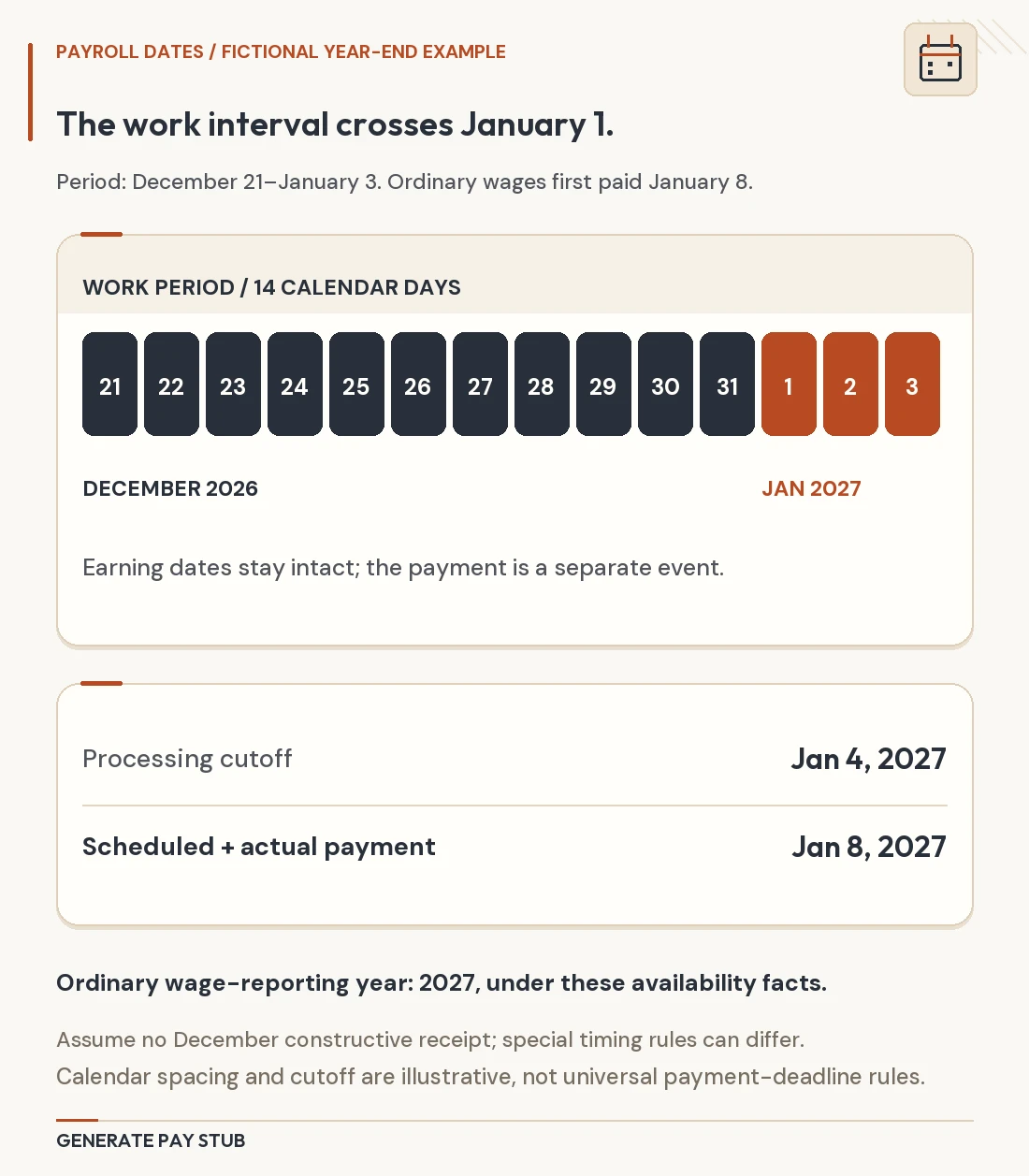
For ordinary calendar-year federal wage reporting, follow the year wages are paid. A January payment for late-December work ordinarily enters the January payment year’s wage totals. The W-2 instructions specifically use wages paid during the calendar year. Do not move the payment into the prior year solely because the pay-period end date is in December.
The first payment in a new reporting year should start that year’s wage and tax accumulators, subject to documented adjustments and special reporting rules. Keep the prior year’s final statement; do not overwrite it with the new year’s totals. Our retroactive-pay guide distinguishes work-period calculations, payment-year reporting and specialized statutory back-pay reporting.
A PTO bank, retirement account balance, benefit-plan-year election, fiscal-year sales tracker or loan balance may follow a different clock. “The YTD wages reset” does not mean accrued leave disappears or invested retirement savings return to zero. Ask payroll which dates define each field before treating a January balance as an error.
What should happen after a payroll-provider or employer change?
A software change and a legal employer change are different events. For the same employer, an opening balance transferred into a new payroll system can preserve the year’s cumulative history. A portal that starts at zero may instead display only post-conversion activity. That display alone does not prove that earlier wages were erased from the employer’s annual reporting.
Suppose the old system shows $18,000 gross through its last payment, and the first new-system payroll pays $3,000. A complete same-year employer ledger should reconcile to $21,000 after that check under these simple facts. It might display an $18,000 opening balance and a $3,000 current addition, or it might label $3,000 as “since conversion” and provide a separate annual summary. Ask which scope the screen represents.

Do not add the old $18,000 to a new $21,000 total if the new system already imported it; $39,000 would duplicate the history. Conversely, treating the $3,000 since-conversion view as the entire year would omit the old payments. Perform the same reconciliation separately for taxable wage bases, taxes, employee deductions and employer contributions. An opening gross balance alone is not enough to rebuild every field.
If you actually change employers, keep each employer’s statements separate. A new employer’s YTD normally covers that employer’s payments, not all household earnings. Publication 15 has special predecessor/successor rules that can affect Social Security wage tracking in qualifying transactions; a new logo, acquisition announcement or changed payroll vendor is not enough to decide the rule.
Across unrelated employers, do not simply instruct the second payroll to stop Social Security withholding because the first employer paid substantial wages. Each employer’s withholding duties and any employee excess-tax credit are separate questions. For retirement deferrals, however, the employee may need to coordinate an individual annual limit across plans. One portal’s YTD deferral line cannot confirm all other employers’ contributions.
How do voids, replacements, bonuses and corrections change YTD?
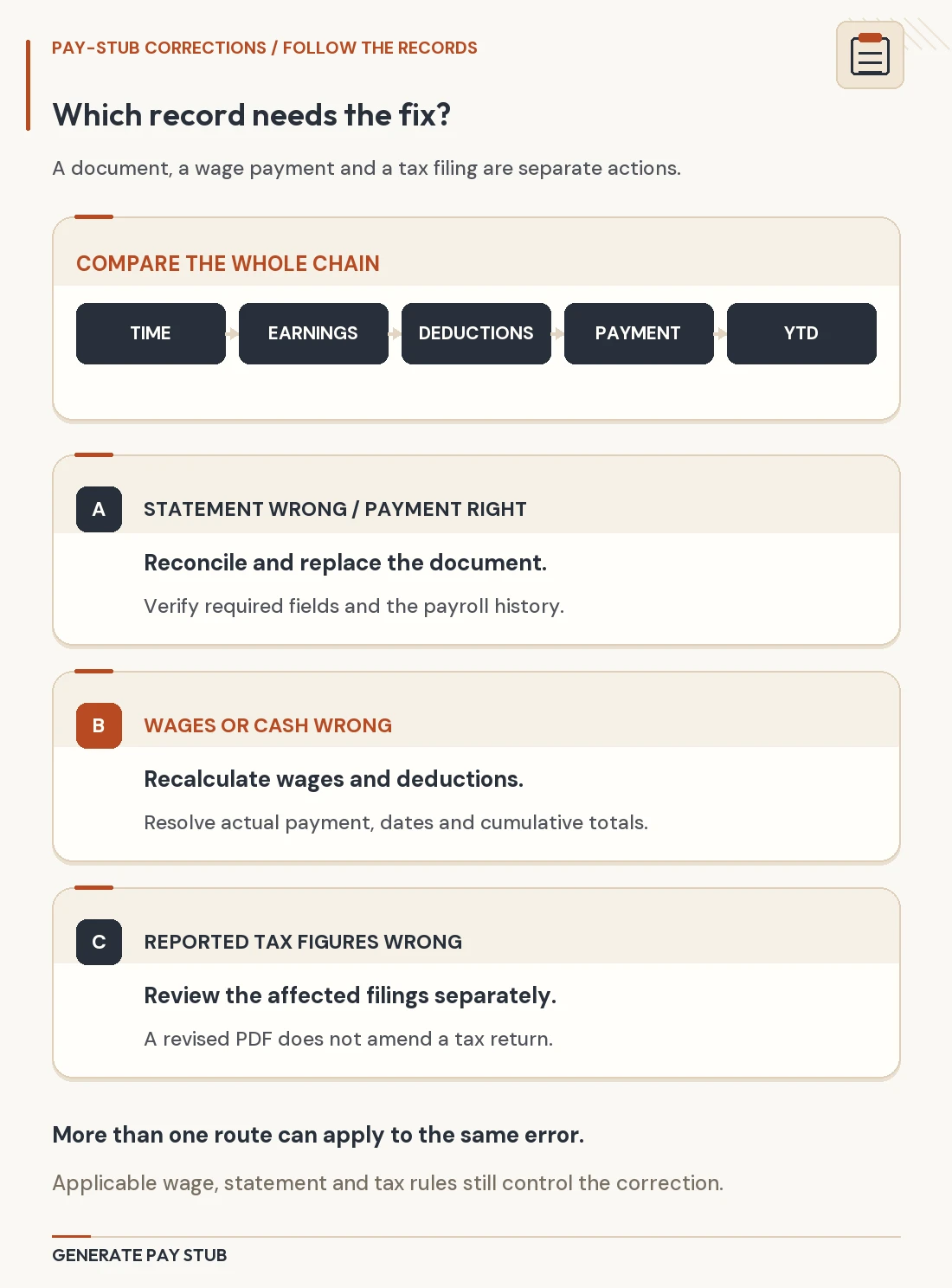
Reconcile transactions, not merely the number of PDF statements. A bonus or off-cycle payment is another payroll event if it actually adds wages. A void can reverse a previous event. A replacement may only replace delivery of the same obligation. Adding every document’s current amount without checking its status can overstate the year.
| Event | Question to resolve | YTD control |
|---|---|---|
| Off-cycle bonus | Is it already in the later regular stub’s YTD? | Include the wages once, even if two documents show the event. |
| Void and reissue | Was the original actually reversed, and was a replacement posted? | Follow the linked reversal/reissue history. |
| Corrected wage base | Did gross cash change, or only the taxable classification? | Adjust the affected wage fields; do not assume every row moves. |
| Provider opening balance | Does it import earlier payments or create a new payment? | Carry history once; do not count migration as wages paid. |
| Prior-year reporting correction | Was money paid previously, or is new money paid now? | Resolve the reporting year before editing this year’s totals. |
Negative current amounts can reflect a valid reversal, but they need an explanation. A lower YTD tax or deduction can also result from a correction. Neither “YTD can never decrease” nor “every negative line is fine” is a reliable rule. Request the transaction dates, status and corrected field-level ledger. See our pay-stub correction workflow for preserving that history.
Does YTD tell you annual income or exactly what the W-2 will show?
YTD is historical, not a guaranteed annual salary. Dividing $35,000 by 14 checks and multiplying by a verified 26-check schedule yields a simple $65,000 projection. It assumes identical remaining checks, no unpaid leave, pay changes, bonuses, commissions or other adjustments. A different payment schedule changes the calculation, and a partial first check can distort it.
For a rental or loan application, provide actual records and the requested explanation of variable income. Do not replace a lower observed amount with a projection labelled as already earned. See our income-evidence guide for why a recipient’s verification rules matter.
A final statement is a starting point for W-2 reconciliation, not an automatic match to every box. Compare the right wage base, all payments through year end, any later fringe adjustments, deferrals and the employer’s final annual summary. The final-statement versus W-2 guide addresses that annual comparison. A midyear YTD figure cannot include payroll that has not occurred.
What is the quickest reliable way to investigate a YTD mismatch?
- Identify the field. Record its exact label, currency or hours unit, year and employer scope.
- Compare consecutive statements. Subtract previous YTD from new YTD and compare with the matching current field.
- List intervening events. Include off-cycle pay, voids, reversals, reissues, benefit adjustments and imported balances.
- Separate wage bases from deductions. Reconstruct taxable wages from their own exclusions and additions.
- Check timing and scope. Verify pay dates, calendar year, employer identity and whether the portal means full YTD or since conversion.
- Request a field-level reconciliation. Ask payroll for the opening amount, each event and closing amount rather than only a replacement PDF.
The IRS employment-tax recordkeeping guidance explains why records of wage amounts, dates and tax treatment matter. Keep statements securely and share only what the recipient needs. When preparing a document with Generate Pay Stub, use the verified cumulative ledger; do not guess prior totals by multiplying the newest check. Our preparation checklist links fields to their source records.